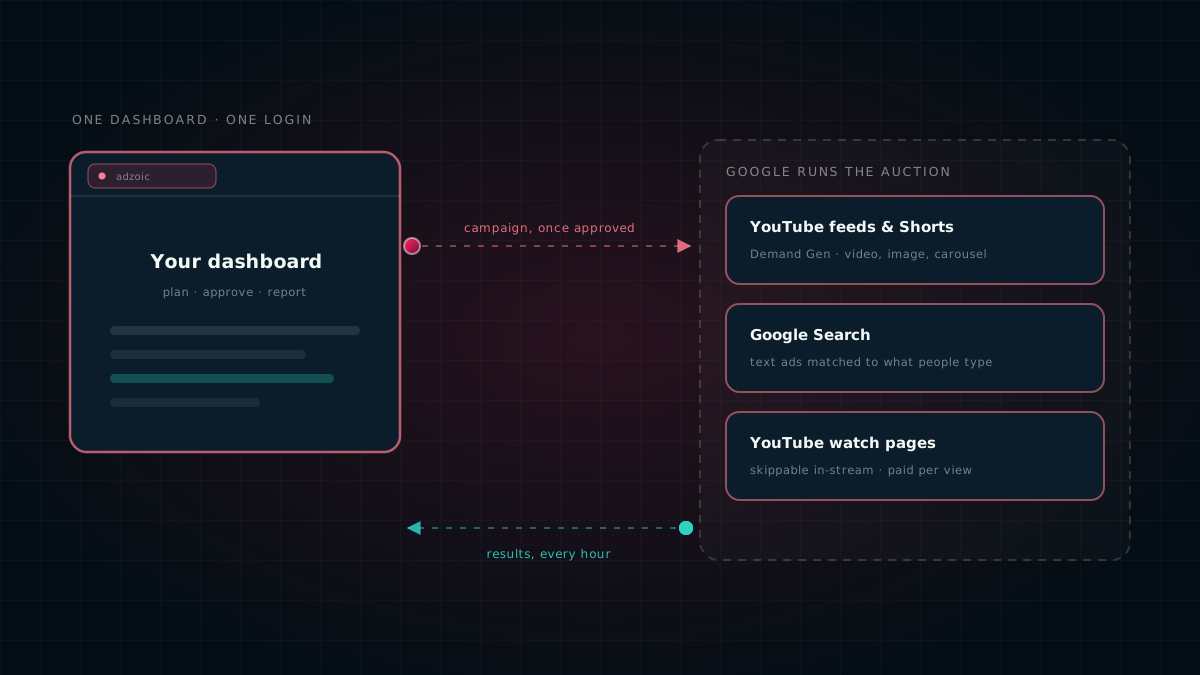
You can now plan, launch and report on Google campaigns — YouTube feeds, Google Search, and skippable video on YouTube watch pages — from the same dashboard you already use for open-exchange buying.
Most buyers we work with run two motions side by side. There is the open exchange, where our own bidder competes for impressions in real time. And there is Google, where the money goes through Google's systems and the buying happens in a different tab, under a different login, with numbers that have to be stitched back together by hand at the end of the month. For one industry where running both from a single plan matters most, see our playbook for Asia's new digital banks.
We have closed that gap. Google campaigns are now built, approved, started, paused and reported on in the same place as everything else — and the results come back automatically instead of being exported and re-keyed.
What you can run
Demand Gen
Video, single image or carousel ads that appear in YouTube feeds and Shorts, Discover and Gmail. Good for reaching people who are browsing rather than searching.
Search
Text ads matched to the words people type into Google. You supply the headlines, descriptions and keywords; we handle the rest of the setup.
YouTube in-stream
A skippable video that plays before or during someone else's video. You pay per view rather than per impression, so under Google's own billing rules a viewer who skips early is generally not charged for.
All three are built from creative you already hold in the platform. An in-stream campaign uses a video hosted on your own YouTube channel; a Demand Gen campaign can use that same video, or images.
How a campaign travels
- You build the campaign in the dashboard — budget, dates, countries, languages, audiences, creative.
- Someone approves it. Approval is what releases it; nothing leaves the dashboard before that.
- We send it to your Google Ads account and build the campaign there for you.
- It arrives paused. Always. Building a campaign and starting one are two separate decisions.
- When you are ready, you press Start on Google. That is the only action that begins spending.
- Google's systems run the auction and serve the ad.
- Results flow back into your reports every hour, without an export.
Pausing is automatic. Starting is deliberate. That asymmetry is on purpose — a campaign that keeps spending after you paused it is a much worse failure than one that waits for a click.
If you pause a campaign in the dashboard, we pause it on Google straight away. We do not do the reverse, because switching a campaign on moves real money and it should take an explicit action, not a status field someone edited while tidying up.
Money says what it means
A Google Ads account bills in one fixed currency, chosen when the account was created and unchangeable afterwards. If your campaign is priced in a different currency, sending the number across unchanged funds it at the wrong level — and nothing on Google's side can catch that, because it has no way of knowing the amount was meant in another currency.
We convert every amount into the account's currency before it is sent, using dated exchange rates, and we refuse to send an amount we cannot convert rather than guessing. The same care applies to the in-stream bid: a cost per view and a cost per thousand impressions are not interchangeable, so we ask you to price the campaign per view instead of quietly converting between two things that do not mean the same thing.
What comes back
Reporting pulls from your Google Ads account every hour. You get more than a spend total:
Impressions, views, clicks, cost and conversions by day, network and device.
Age and gender breakdowns, and a day-of-week by hour grid showing when delivery actually happened.
Whether each ad is approved, under review or disapproved — including the policy reason, so you can fix it rather than guess.
Google's own signal for when a campaign is limited by its budget, alongside the budget and any recommended amount.
Google's suggestions and optimisation score, surfaced where you are already working.
What changed on the account, when, and whether it came from us or from someone working directly in Google Ads.
Where AI fits — and where it does not
This is the part most platforms are vague about, so we will be specific.
AI writes the report, not the bid
Our reporting assistant decides what a report should contain: which sections are worth showing, which chart suits which comparison, and the wording that explains a result in sentences instead of a wall of columns.
- Which sections are worth showing
- Which chart suits which comparison
- The wording that explains a result
- Every figure, read from your data
- By the renderer, never by the model
- Or a clearly marked note instead
The model never produces a number.
Every figure in the report is read directly from your data by the renderer. The model chooses which measure to display; the platform supplies the value. That design is deliberate — a customer-facing report is the last place you want an invented or mistyped figure, and a model that is allowed to write numbers will eventually write a wrong one. If a section cannot be backed by real data, it appears as a clearly marked note rather than quietly disappearing, because a report that silently drops three of nine sections looks exactly like a report that only had six.
On Google, Google does the bidding
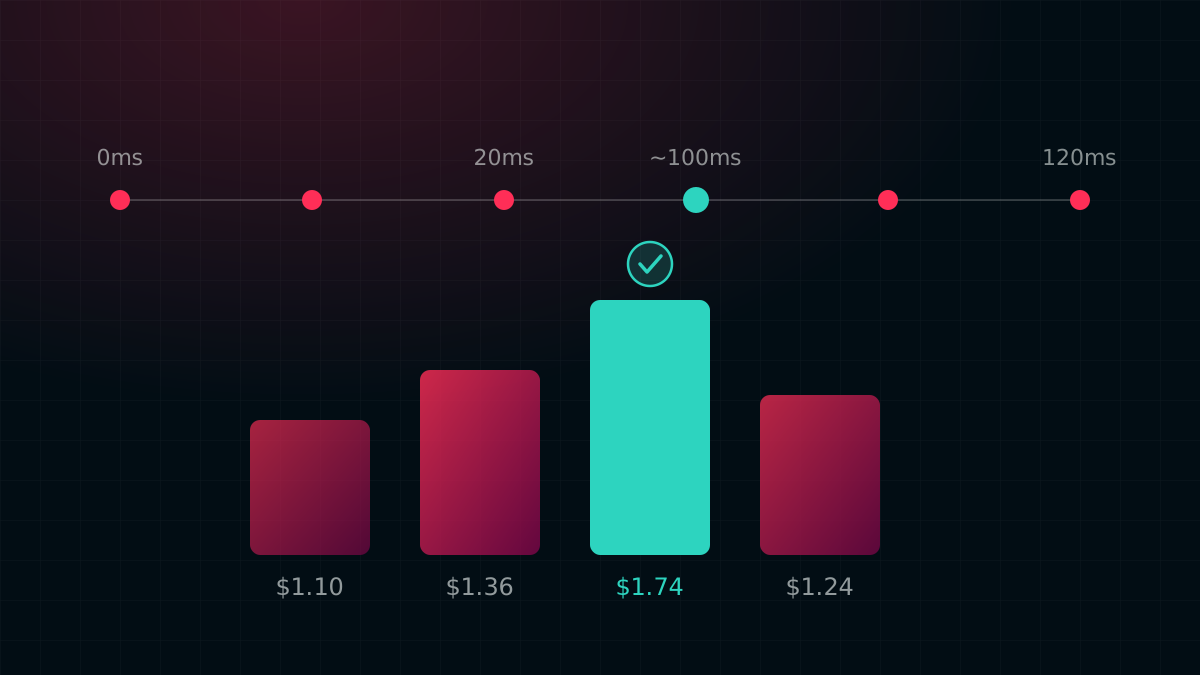
We do not run the auction on Google surfaces and we make no claim to. Your campaign uses Google's own bidding — automated strategies for Demand Gen and Search, and a bid you set per view for in-stream — and Google decides what to pay and when to show the ad.
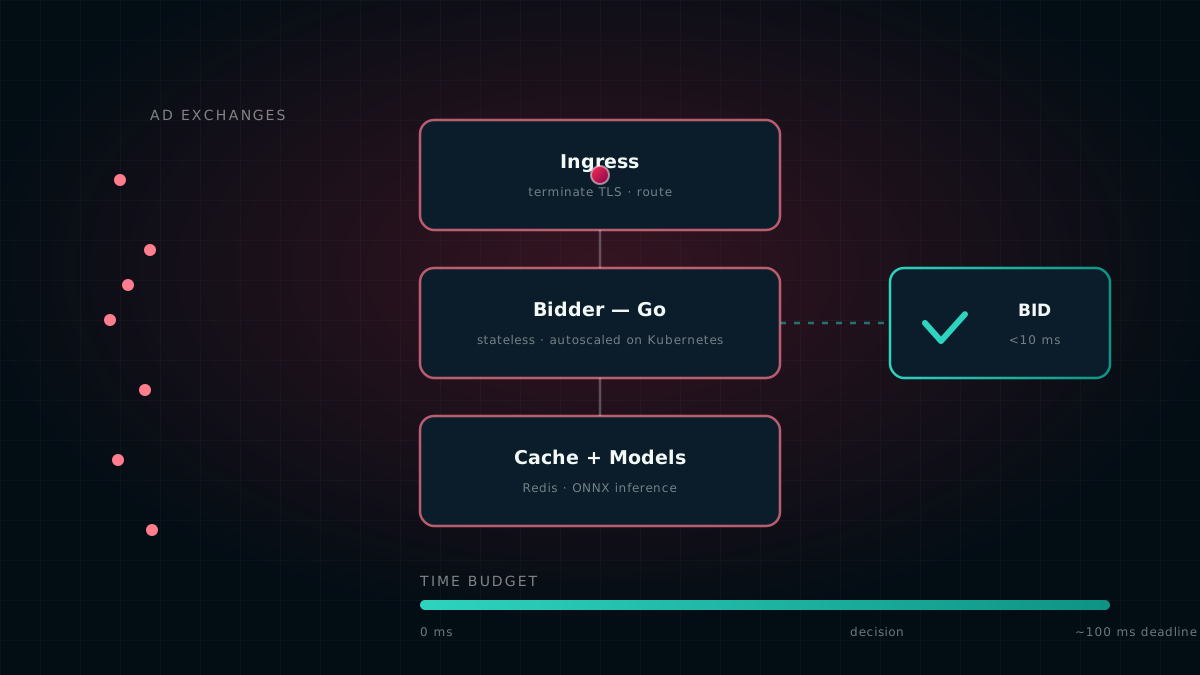
Our own machine-learning models — click and conversion prediction, bid shaping — run on the open-exchange side of the platform, where we are the bidder. They are not applied to your Google campaigns, and anyone telling you their AI optimises inside someone else's auction is describing something other than what is happening.
Guardrails
- Brand safety. Content suitability settings and exclusions are applied to the account, so they hold across campaigns rather than being re-set each time.
- Frequency caps and scheduling. Limit how often one person sees an ad, and restrict delivery to chosen days and hours.
- Geography and language. Target countries and languages explicitly, rather than inheriting a default that spends somewhere you did not intend.
- Political advertising declaration. Where Google requires campaigns to be declared, that declaration is carried on every campaign we create.
- Nothing fails silently. If a change cannot be applied, it is retried and then recorded as a visible failure — not dropped.
What we do not do yet
We would rather be plain about the edges than have you find them.
- One in-stream format. Skippable video priced per view. Bumper ads and non-skippable formats are not supported yet.
- Budget changes. Budgets are set when the campaign is created. Changing one afterwards still means going into Google Ads.
- Adopting existing campaigns. A campaign built by hand in Google Ads can be linked to a dashboard campaign for reporting, but it takes a deliberate step — we will not guess a match by name, because a wrong guess reports one campaign's spend against another.
- Campaign groups. Google's newer video campaign group type is not yet available in the version of the Google Ads API we run against, so we do not offer it.
Getting started
Connect your Google Ads account once, then pick YouTube, Search or in-stream as the serving surface when you create a campaign. Attach your creative, send it for approval, and press Start on Google when you want delivery to begin. If you already run open-exchange campaigns with us, nothing about that workflow changes.
Talk to your account manager if you would like a walkthrough, or if one of the limits above is blocking something you need — the list is a roadmap as much as a disclaimer.
Google, Google Ads, YouTube, Google Search, Discover, Gmail and Demand Gen are trademarks of Google LLC. They are used here only to identify the services this product works with. This product is not a Google product, and it is not endorsed by or affiliated with Google.
Campaign types, ad formats, bidding options, policies and eligibility are set by Google and can change at any time; availability in your account depends on Google's own rules and on the state of your account. Advertisers remain responsible for their creative, their claims, and for complying with Google's advertising policies and applicable law in every market they run in.
Nothing here is a promise of a particular result. Advertising performance depends on many factors outside any platform's control, including creative, budget, competition and audience.