The AdZoic dashboard now works in four languages: English, Bangla, Bahasa Indonesia and Nepali. Each person on a team reads it in the language they read fastest, a company can set a default, and the campaigns, reports and invoices behind the screen are the same ones whichever language you choose.
An ad campaign is rarely one person's work. A media buyer sets it up, a planner checks the budget, someone in finance looks at the invoice, and a manager reads the report. They do not all read English at the same speed. Reading a budget screen in a second language takes longer, and small mistakes are easier to miss.
So the dashboard at dashboard.adzoic.com now lets each person choose. This post explains what changes when you do, what does not change, and how the translations are kept. Everything in it is what the dashboard showed on 23 November 2026.
Where the switch is
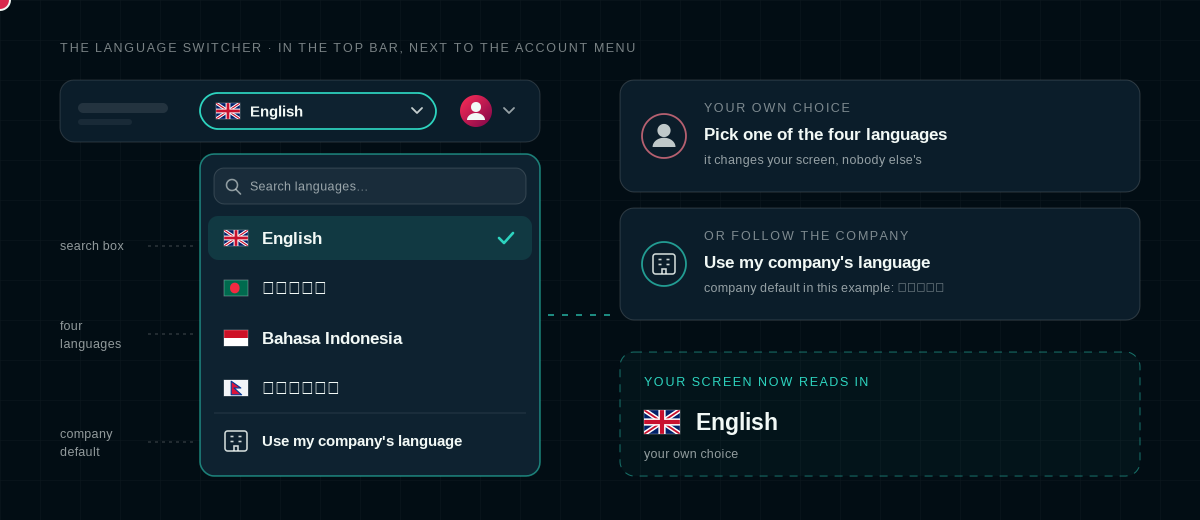
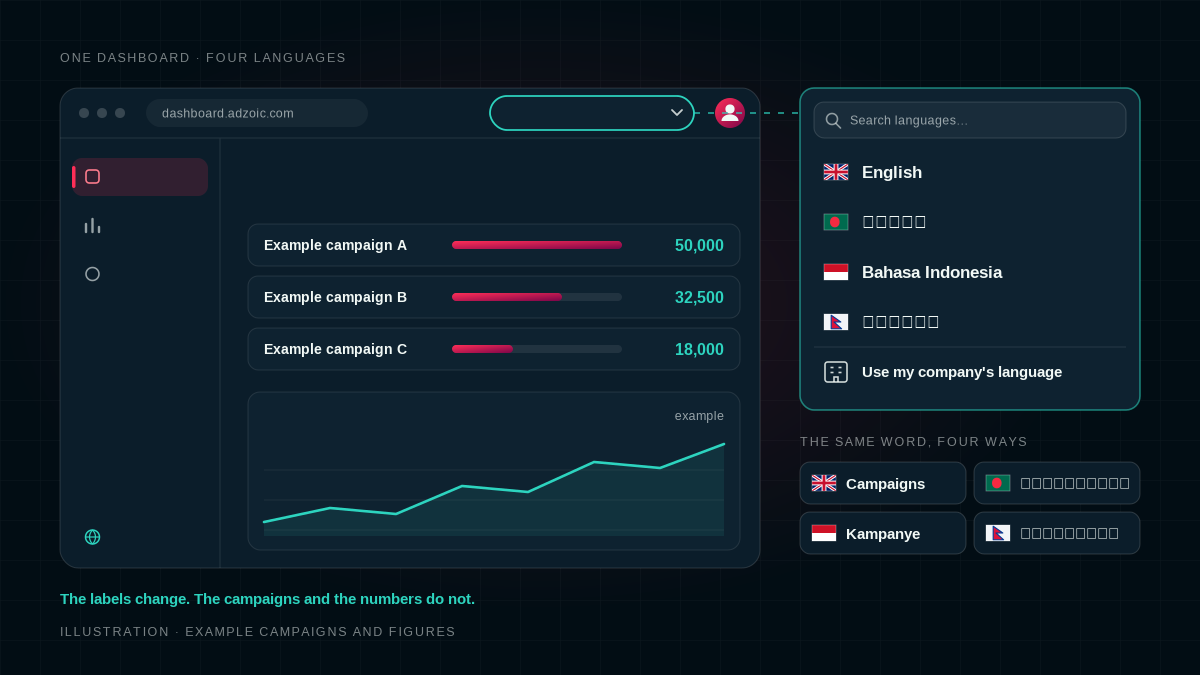
The language switcher sits in the top bar, next to the account menu. It shows a flag and the name of the language you are using. Open it and you see five options:
- English
- বাংলা (Bangla)
- Bahasa Indonesia (Indonesian)
- नेपाली (Nepali)
- Use my company's language
The language you are using has a tick beside it. The list also has a search box, labelled "Search languages…".
Pick a language and the dashboard's own words change: its menus and its messages. Your campaigns do not.
Your choice, or your company's
Language is a per-person choice. If you pick Bahasa Indonesia, your screen is in Bahasa Indonesia. Your colleague's screen stays as it was.
The last option, "Use my company's language", is the fallback. A company has a default language, and a person who picks this option reads the dashboard in that default.
Picture an agency in Dhaka whose default is Bangla. Most of the team leaves the switch on the company's language and works in Bangla. One planner prefers English and picks English. Both are looking at the same account. The company has one default, and each person can still choose their own.
What stays the same
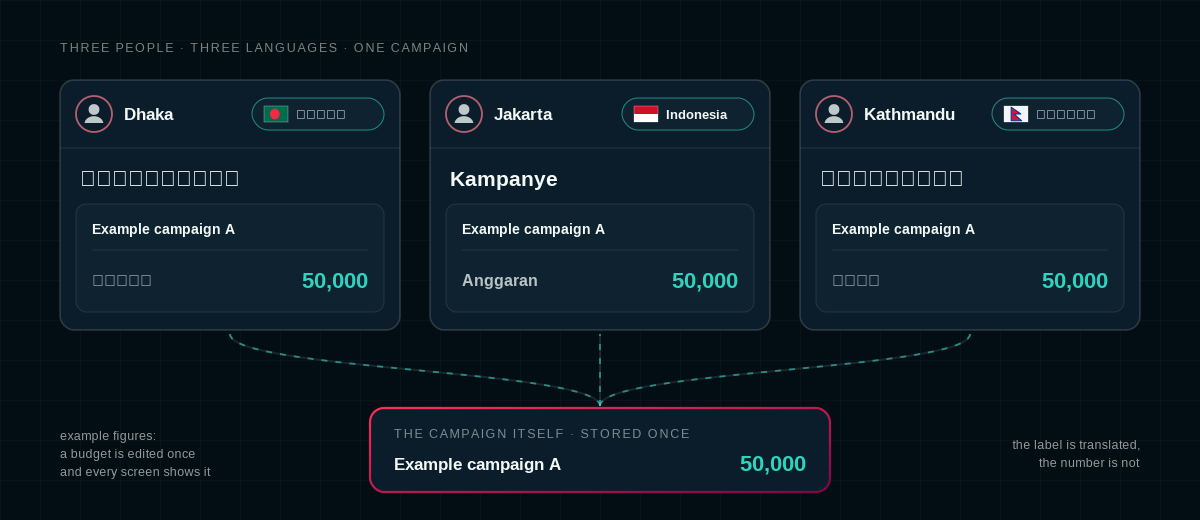
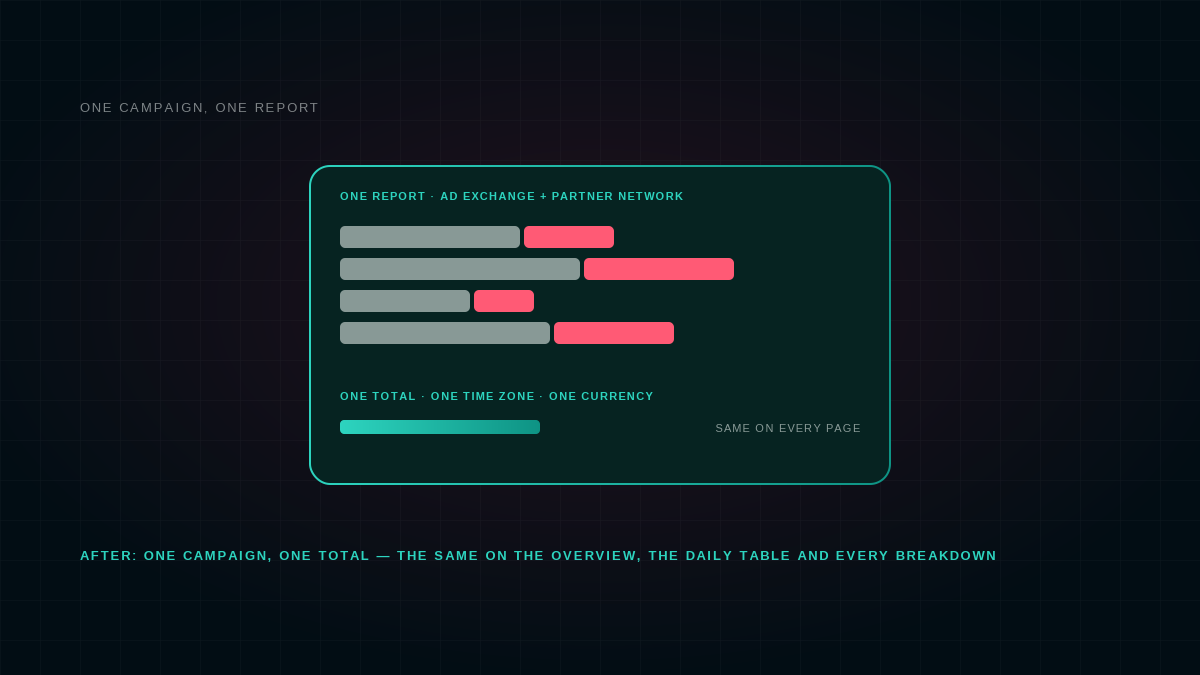
The language is a layer of words on top of the data. There is one campaign, not one per language. Numbers, currencies and campaign data are the same whichever language the screen is in.
So a buyer in Dhaka reading in Bangla, a planner in Jakarta reading in Bahasa Indonesia and a manager in Kathmandu reading in Nepali can open the same campaign and see the same budget. Only the labels around it differ. On a call, they are all talking about the same row and the same total.
The text that changes belongs to areas of the dashboard menu that include:
- Overview
- Creatives, with Creative Sets and Creative Studio
- Campaigns
- Demand Gen
- Reports
- Billing and invoices
One limit, said plainly. This post is about the words on the dashboard's screens. It does not describe the language of files you export, emails, or invoice documents. If the language of a particular document matters to you, ask us before you rely on it.
How the translations are kept
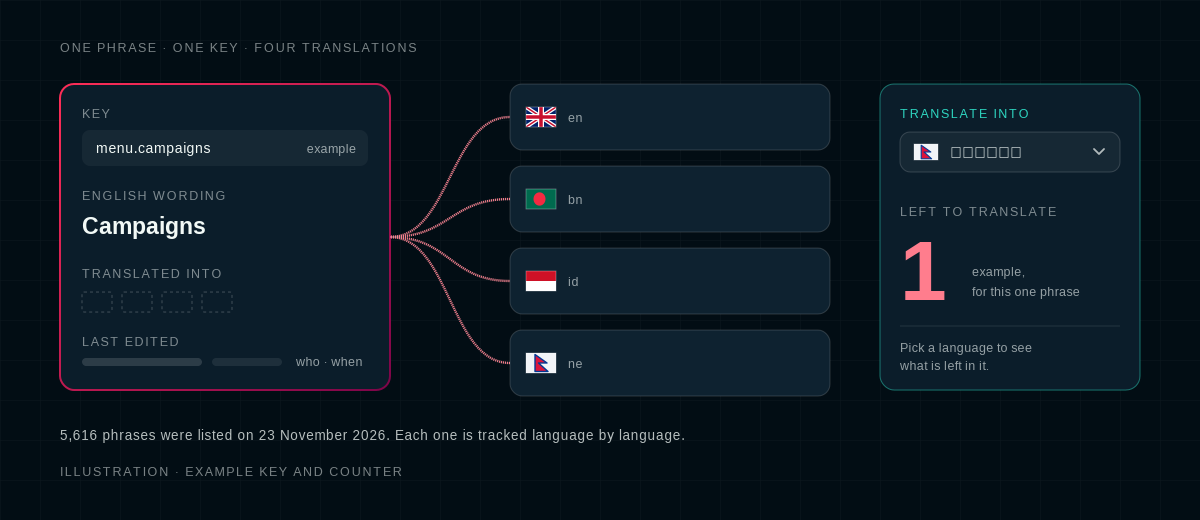
Every piece of text in the interface is kept as a phrase. A phrase has a key, which is a short internal name, its English wording, and its translations.
The dashboard has an admin page called Phrases that lists them. For each phrase it shows the key, the English wording, flags for the languages it has been translated into, and who last edited it and when. Phrases can be added and edited there. On 23 November 2026 that page showed 5,616 phrases.
They are not only menu names. They cover validation and billing messages too: the sentences you see when something needs your attention. One English phrase on that page, as an example: "Only an approved insertion order can be invoiced."
The page has a filter called "Translate into". Its hint reads: "Pick a language to see what is left to translate in it." That is how gaps are found, language by language and phrase by phrase.
A second admin page, Languages, lists each language with its code, its English name, its native name and its status. On 23 November 2026 it listed four, each with the status "Live":
- en: English
- bn: Bangla (বাংলা)
- id: Indonesian (Bahasa Indonesia)
- ne: Nepali (नेपाली)
That page also has an "Add language" button. We are not announcing any other language here.
Translation coverage is tracked phrase by phrase, and it can be incomplete. Newer text may not be translated into every language yet. Text that has no translation in your language shows in English. So if you see an English line on a Bangla, Indonesian or Nepali screen, that is why. If a translation reads wrong, tell us at hello@adzoic.com.
The screen's language is not the ad's language
One thing is easy to mix up. The switcher changes the language you read the dashboard in. It does not change the words in your ads. Creative Studio, in the same dashboard, has its own separate setting, "Copy languages", for the ad's own words. Its options include Bangla, English, a mixed "Bangla headline, English button" option, and Bahasa Indonesia. We explain it in our Creative Studio post.
The website, too
The public website, www.adzoic.com, is also available in the same four languages. You can read about the platform and then use it in the same language.
What this means for your team
- In Bangladesh: a team can work in Bangla, in English, or both, person by person.
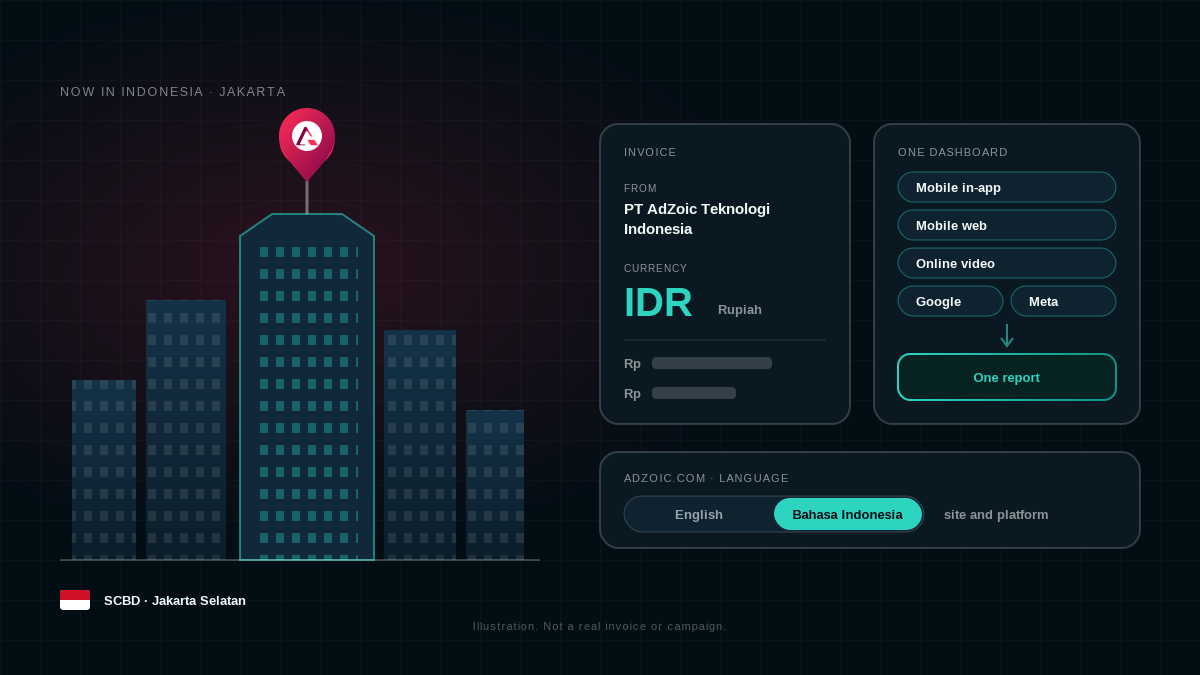
- In Indonesia: the dashboard is available in Bahasa Indonesia. We wrote about our Jakarta office earlier this month.
- In Nepal: the dashboard is available in Nepali.
- Across countries: a regional team can open the same campaigns, and each person reads them in their own language.
How to switch
Sign in at dashboard.adzoic.com, open the language switcher in the top bar, and pick your language. To go back to the company default, pick "Use my company's language". How AdZoic handles account data is set out in our privacy policy.
If you do not have an account yet and want to see the dashboard in your language, write to hello@adzoic.com or use the contact page.
Interface language: the language of the dashboard's own text, such as menus and messages. Phrase: one piece of that text. Key: the short internal name that identifies a phrase in every language. Company default: the language a person gets when they pick "Use my company's language". Copy languages: the separate Creative Studio setting for the words inside an ad.
Questions we get asked
Which languages does the AdZoic dashboard work in?
English, Bangla, Bahasa Indonesia and Nepali. On 23 November 2026 the dashboard's Languages page listed these four, each with the status "Live".
Does changing the language change my campaigns or my numbers?
No. It changes the dashboard's own words, such as menus and messages. Numbers, currencies and campaign data are the same whichever language the screen is in.
Can each person on my team use a different language?
Yes. Language is a per-person choice, made in the switcher in the top bar. A person can also pick "Use my company's language" to follow the company default.
Is every screen fully translated?
Translation coverage is tracked phrase by phrase and can be incomplete. Newer text may not be translated into every language yet, and text without a translation shows in English.
Is this the same setting as the language of my ads?
No. The switcher sets the language you read the dashboard in. The words in an ad are set separately, in the "Copy languages" setting in Creative Studio.
The illustrations in this post are drawings, not screenshots; the campaign names, budget figures, phrase key and counter in them are examples. The list of languages, the phrase count and the labels quoted here are as the dashboard showed them on 23 November 2026, and they can change. Translation coverage can be incomplete, and text without a translation shows in English. This post describes the text on the dashboard's screens; it makes no statement about the language of exported files, emails or invoice documents. Features and availability can change.