A campaign rarely fails because of the idea. It fails in production: the 728×90 is missing, the GIF is too heavy for the exchange, the video never got made, or the Bangla headline broke into the wrong letters. Every missing size is inventory you cannot buy.
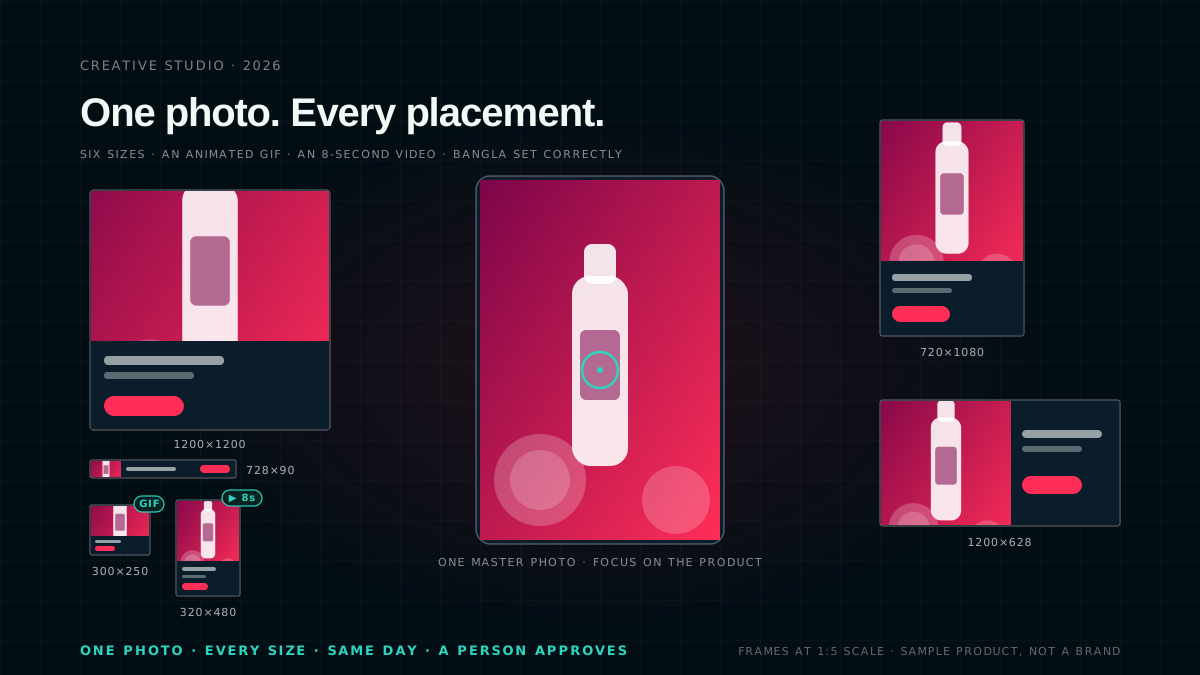
Creative Studio, inside the AdZoic dashboard, turns one photo and a short message into the full set: every common banner size, an animated GIF and a short video, ready for review the same day. It adapts your own photo. It does not invent pictures from a prompt.
একটি ছবি। প্রতিটি সাইজ।
One photo. Every size.
Missing sizes are missing inventory
Every ad slot on the open web and in apps has a size, and an auction for a slot only accepts a creative that fits it. A campaign with four sizes cannot enter the auctions that want the other two. A missing 728×90 is not a design detail. It is a block of placements, and the budget those placements would have reached, left on the table.
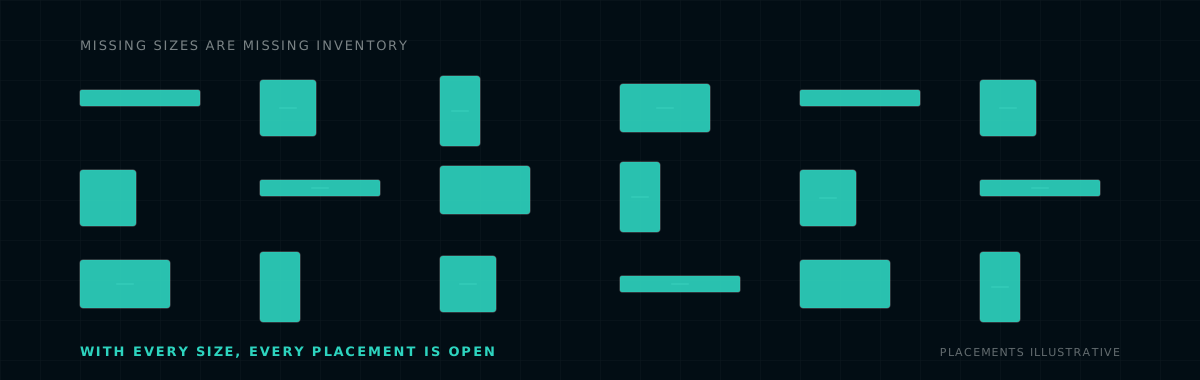
Placements you can enter, before and after the full set exists. Illustrative.
How it works in five steps
Everything happens on one page in the dashboard.
- Pick where the drafts go. Choose a creative set and the campaigns. The page shows "Stored for" and the advertiser's name, so it is always clear which brand the photos belong to. New ads are attached to the campaigns switched off and start serving only after approval.
- Upload one photo and your logo. They are stored for that advertiser and reusable later. Click the photo on what must stay in view, a face or the product, and every size crops around it.
- Write the message, or let AI suggest it. Headline, supporting line, price and button are all optional. Or click Suggest designs.
- Choose the look and the output. Template, accent colour, sizes, formats and video style, with a live preview of every size.
- Create drafts. Every file is checked for exact pixel size, file weight and video length, saved as a draft, attached to the chosen campaigns switched off, and sent to approval. Saving is all or nothing: a failure leaves no half-made batch.
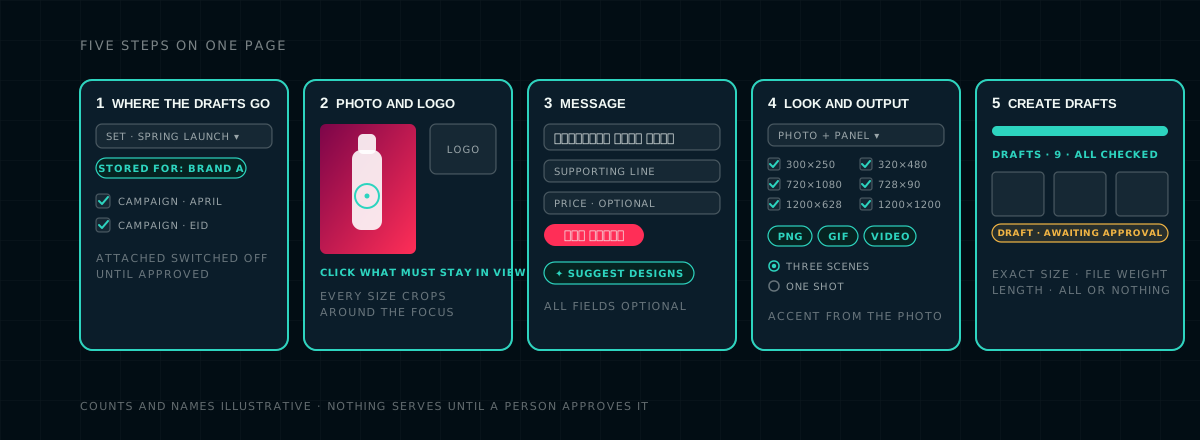
The five steps, as a stylised view of the page. Counts and names are illustrative.
| Output | Sizes | Notes |
|---|---|---|
| Static PNG | 300×250, 320×480, 720×1080, 728×90, 1200×628, 1200×1200 | Any of the six, in the template you choose |
| Animated GIF | 300×250, 320×480, 728×90 | Kept light, under 150 KB, so exchanges accept it |
| 8-second MP4 video | 320×480, 720×1080, 1200×628 | Saved as video creatives in a matching set. Made in Chrome or Edge |
Four templates cover most briefs: photo with a text panel, full photo with text over a gradient, photo only with no text, and whole poster with nothing added or cropped, for finished artwork that already contains its text.
Bangla, set correctly
Bangla conjuncts and vowel signs break in many design tools: a headline comes out with separated letter parts and stray marks, or is cut in the middle of a character when it runs long. Creative Studio sets text with the browser's own text engine and a proper Bangla font, so "প্রতিদিন" looks right at every size. Long headlines are shortened by whole letters, never mid-character, and text never runs off the banner.
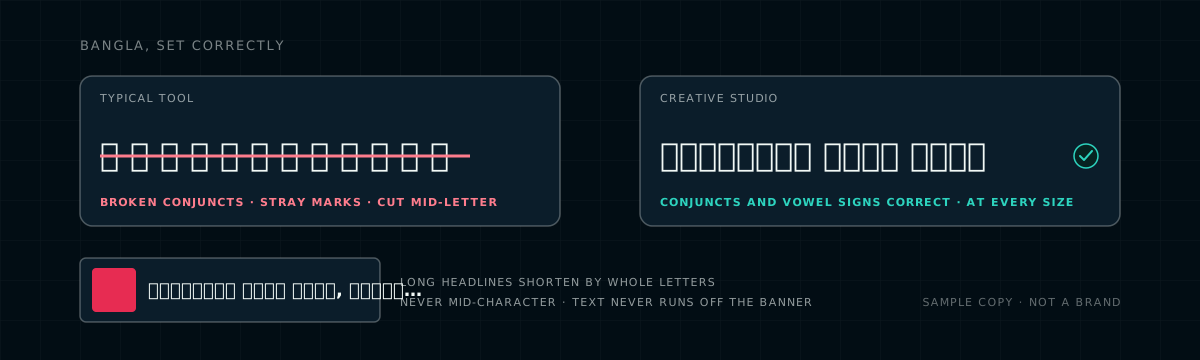
The same headline in a tool that breaks Bangla, and in Creative Studio. Sample copy.
Design with AI, with a person in charge
Click Suggest designs and Claude, Anthropic's AI model, looks at your photo and a short brief and proposes three complete designs: which template, where the text sits so it never covers the subject, how tight to crop and zoom for each size, an accent colour taken from the photo, and copy fitted to each size's length, in Bangla, English or both.
- The AI suggests; you decide. Pick a design, change anything, or ignore it.
- No invented claims. It uses only facts from your brief, and wording that ad reviewers often reject, such as "free", "win", "guaranteed", "best" and prize claims, in English or Bangla, is flagged before you use it.
- It recognises finished posters. If your image already carries its text, it suggests showing it whole instead of cropping through the words.
- Marked as AI-assisted, so you always know which ads came from a suggestion.
- A layout, not pixels. The AI returns a layout; the studio draws every file itself, so sizes and Bangla are exact.
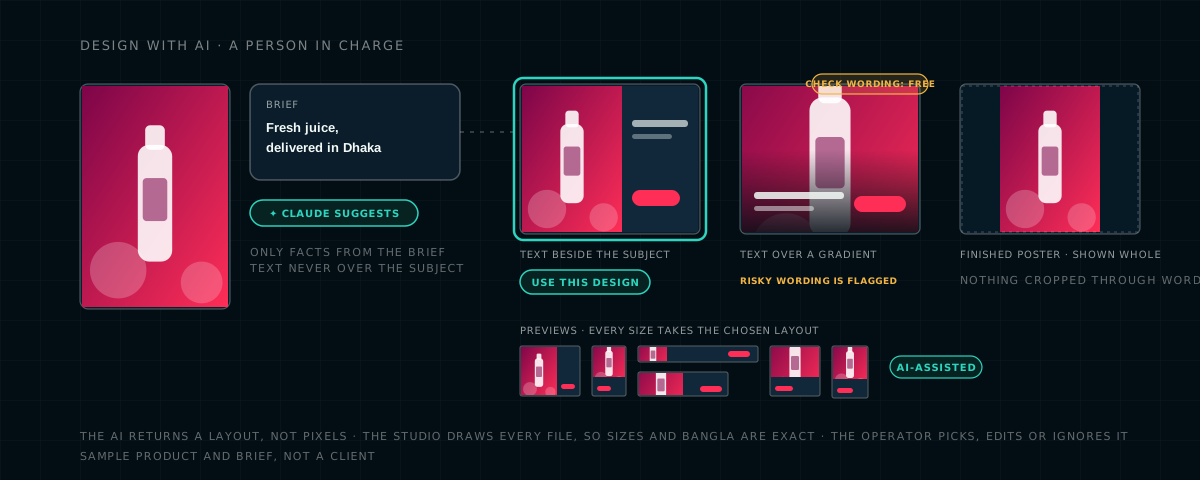
Three suggestions, one flag, one choice made by a person. Sample product and brief.
Motion without a video team
The 8-second video plays in three scenes: the photo alone with a slow zoom to catch the eye, then your headline and supporting line sliding in, then an end card with your brand, headline, price and a pulsing button, with smooth crossfades between them. A second style, One shot, is a single slow zoom with the button fading in. The live preview shows every size, and a "Play motion" control with a timeline slider lets you step through the video frame by frame before you create anything. The animated GIF is kept light so exchanges accept it.
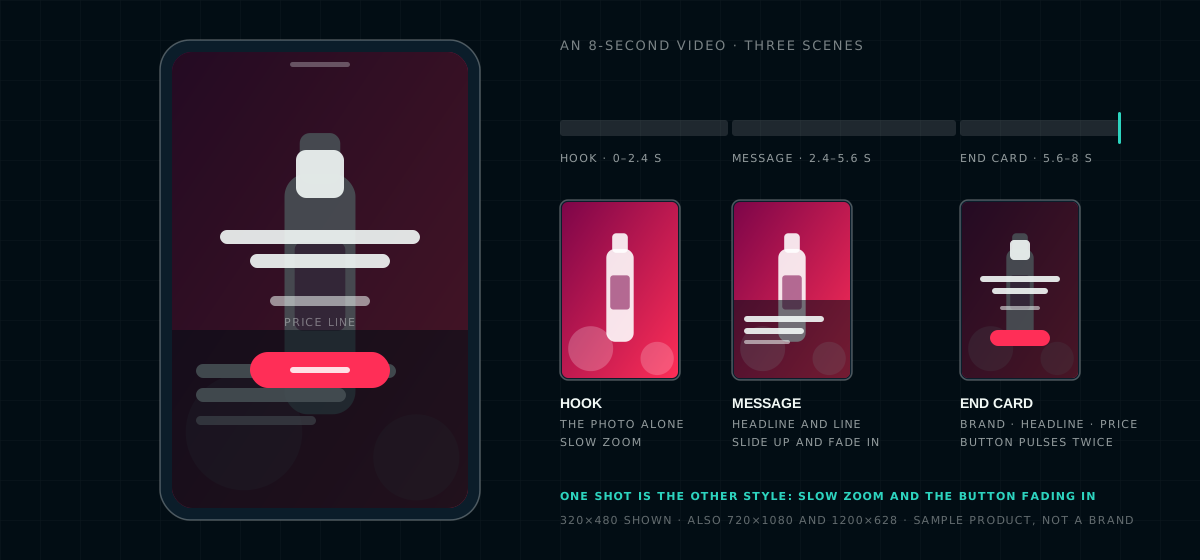
The three scenes, and the timeline the preview lets you scrub. Sample product.
Control and safety
Every ad is a draft until approved; nothing serves without approval. Drafts attach to campaigns switched off and start serving the moment they are approved. Saving is all or nothing, so a failure never leaves a half-made batch. Photos are stored per advertiser and are visible only to the people working on that advertiser.
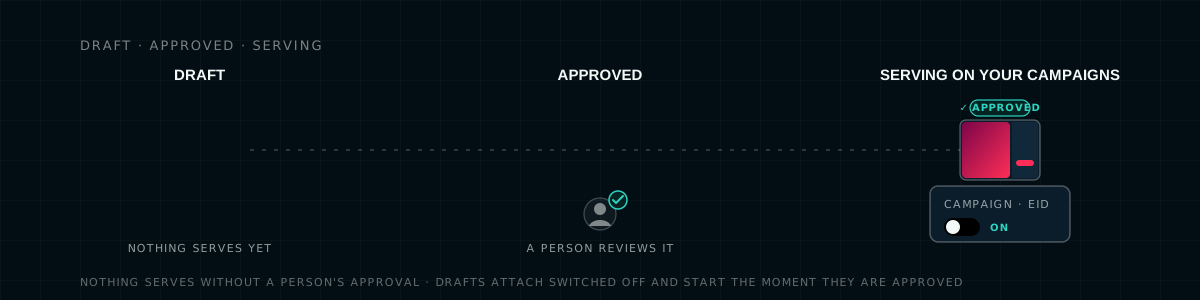
Draft, approved, serving. The switch is a person's.
Who it is for
Creative Studio is built for the agencies and brand teams we work with across Asia, Bangladesh first, where a campaign is often planned in one language and shipped in another, on a phone.
Launch on time
Missing sizes no longer delay a launch, and resizing no longer eats a designer's day. One photo, every size, the same day.
On brand, in Bangla
Your photo, your colours, your copy set correctly, and your approval step exactly where it was.
More placements
Six sizes, a GIF and a video mean more auctions you can enter, so more of the budget reaches inventory.
AI without the risk
AI suggests, a person decides, risky wording is flagged, and every AI-assisted ad is marked as such.
Questions we get asked
Does Creative Studio generate images from a text prompt?
No. The studio adapts your own photo and logo. You upload one master photo, mark what must stay in view, and every size is cropped and laid out around it. The AI proposes layouts, crops and copy; it does not invent pictures.
What does the AI actually do, and who decides?
When you click Suggest designs, Claude, Anthropic's AI model, looks at the photo and a short brief and proposes three complete designs: template, text placement away from the subject, crop and zoom per size, an accent colour from the photo, and copy fitted to each size in Bangla, English or both. It uses only facts from the brief and flags wording ad reviewers often reject. The operator picks, edits or ignores it, and ads made from a suggestion are marked AI-assisted.
Can an ad go live without someone approving it?
No. Every file is saved as a draft, attached to the chosen campaigns switched off, and sent to approval. It starts serving only when a person approves it.
Which sizes and formats does it produce?
Static PNG at 300×250, 320×480, 720×1080, 728×90, 1200×628 and 1200×1200; an animated GIF kept under 150 KB at 300×250, 320×480 and 728×90 so exchanges accept it; and an 8-second MP4 video at 320×480, 720×1080 and 1200×628, saved as video creatives in a matching set.
Talk to us
Want to see your next campaign's full ad set built from one photo? Send us the photo and the message, and we will show you every size, the GIF and the video, in Bangla, before anything serves.
The product in the artwork is an invented sample drawn as shapes, not a client's creative, and the brief and headlines are sample copy. Benefits are described without performance figures, and no claim is made about results. Claude and Anthropic are trademarks of Anthropic, PBC; they are named to describe the model the studio uses, and AdZoic is not affiliated with or endorsed by Anthropic. The studio adapts the advertiser's own photo and does not generate images or video from a prompt. Features described here are how Creative Studio works in October 2026 and may change. This describes our own platform and is not advice for yours.