Most display campaigns are still bought and judged by impressions and clicks. Those numbers are easy to count and easy to inflate. What a subscription service, a mobile game or an online shop actually needs is the next step: the person who paid, registered or subscribed.
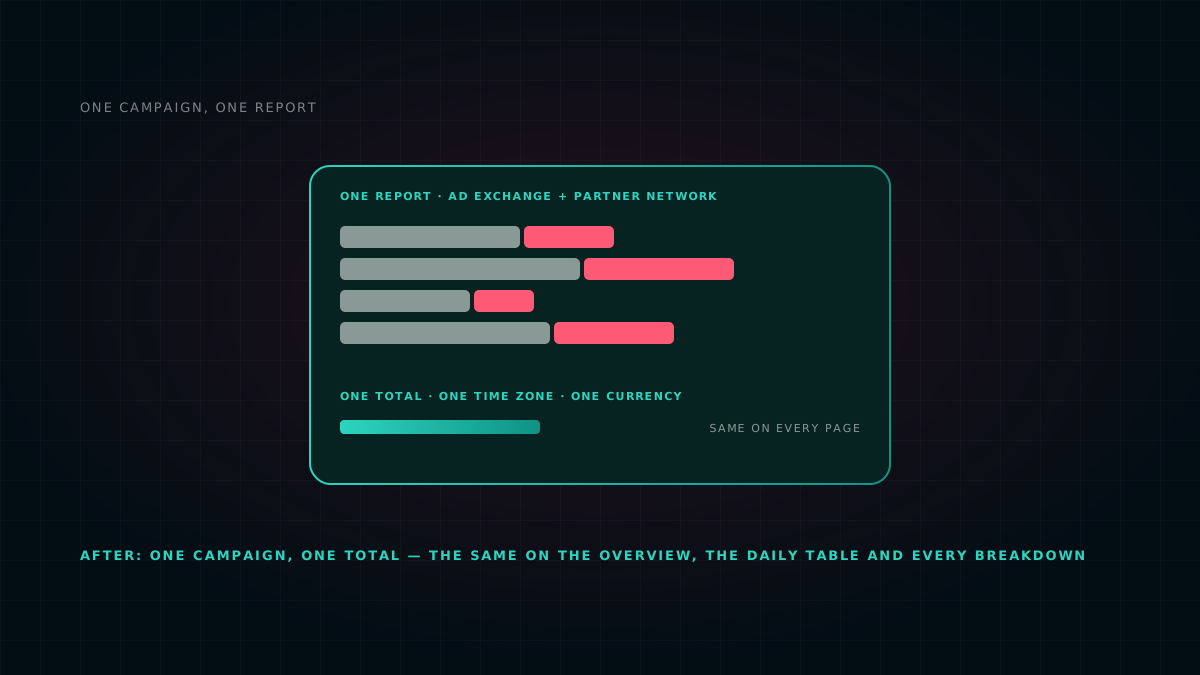
AdZoic conversion campaigns are built around that step. Every click carries an identity, every conversion comes back to us from your own server, and the report shows the two joined together. You see which campaign, creative and placement produced a real customer, not just a visit.
Why clicks are not enough
A click tells you someone landed on your page. It does not tell you:
- whether they finished the sign-up, or stopped at the payment screen;
- which creative brought the people who paid, as opposed to the people who browsed;
- whether a placement sends real users or accidental taps.
Optimising for clicks rewards whatever gets tapped most. On a phone, that is often the wrong thing. Optimising for conversions rewards what actually grows your business.
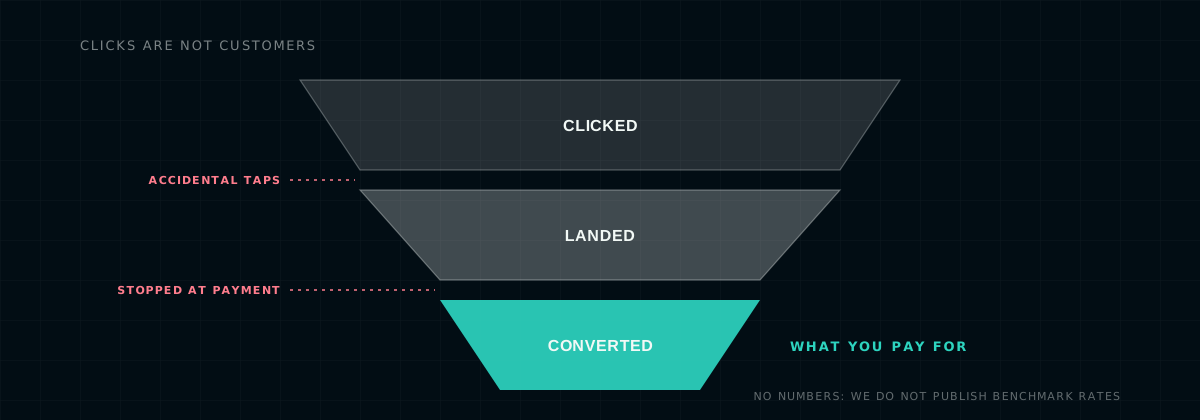
The funnel every performance campaign runs through. We draw it without numbers on purpose: we do not publish benchmark rates.
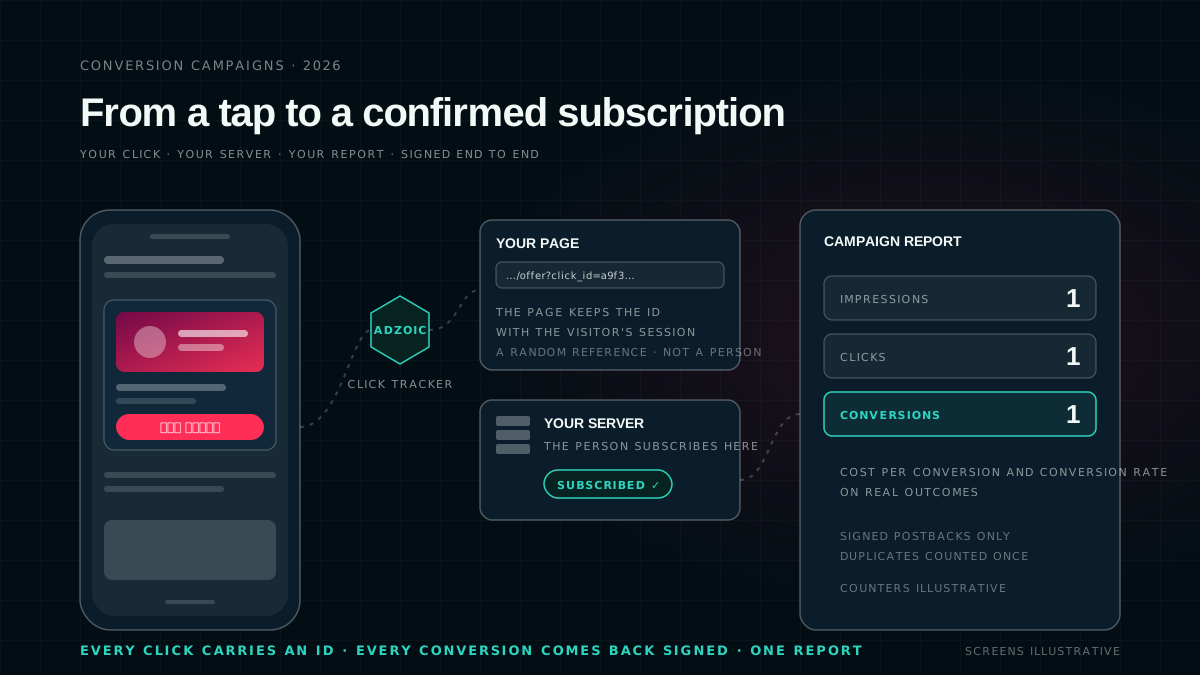
How a conversion is tracked, step by step
- The ad is served with a unique click identity. When someone taps an AdZoic ad, the click passes through our tracker first. It records the click and adds a unique
click_idto your landing-page address. The click link itself is encrypted and signed, so it cannot be forged or edited on the way, and it hides your landing page from third parties along the way. - Your landing page keeps the click_id. Your page or app stores the
click_idalongside the visitor's session. Nothing about the person is shared with us: theclick_idis a random reference, not a phone number or a name. - The visitor converts on your side. They subscribe, register, install or buy, in your own flow and on your own payment provider. AdZoic never sees payment details.
- Your server tells our server: a postback. When the conversion is confirmed, your backend sends one request to AdZoic with the
click_id, the conversion type, an optional value and currency, and your own conversion ID. This is a server-to-server postback: it does not depend on cookies, browsers or ad blockers. - The postback is signed. Each advertiser gets a pixel with its own secret key. Your server signs every postback with that key, and we reject anything unsigned or altered. A third party cannot fake conversions into your report, and you cannot be billed against conversions that never happened.
- The conversion joins the click and appears in your report. We match the
click_idback to the exact campaign, creative, placement and time of the click, inside the attribution window you set. The conversion shows in the campaign report next to impressions, clicks and spend, so cost per conversion and conversion rate are calculated on real outcomes.
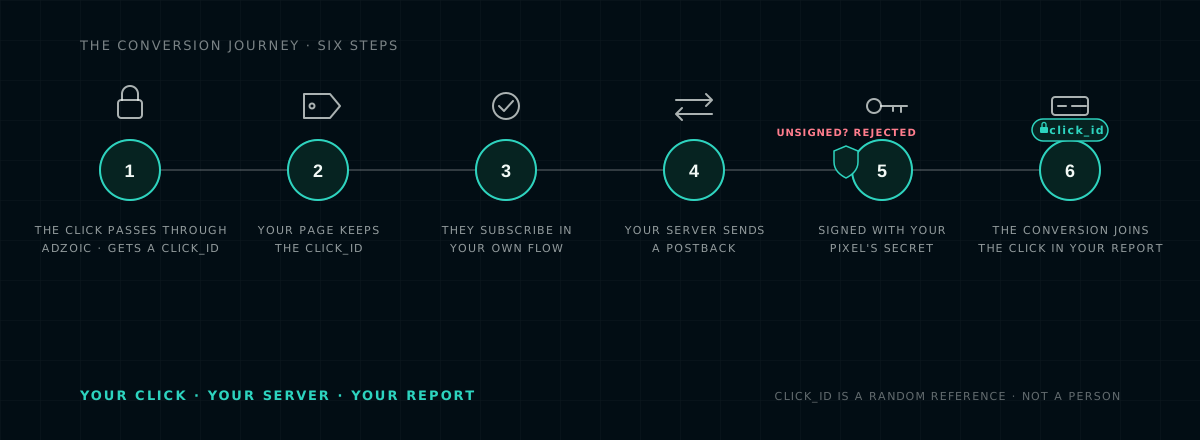
The journey the click_id makes, and the one place a fake can try to get in. It cannot: unsigned postbacks are rejected at the gate.
The pixel, explained
Each advertiser gets its own conversion pixel: an ID and a secret key. An agency with several brands gets one pixel per brand, and each brand's data and keys stay separate. The pixel's page shows how many times it has fired and when it last fired, so you can see at a glance that the connection is alive.
The secret matters. It is what your server uses to sign each postback, which is why it belongs on your server and nowhere else: not in a browser, not in an app build, not in a group chat. We share it privately with your developer at onboarding.
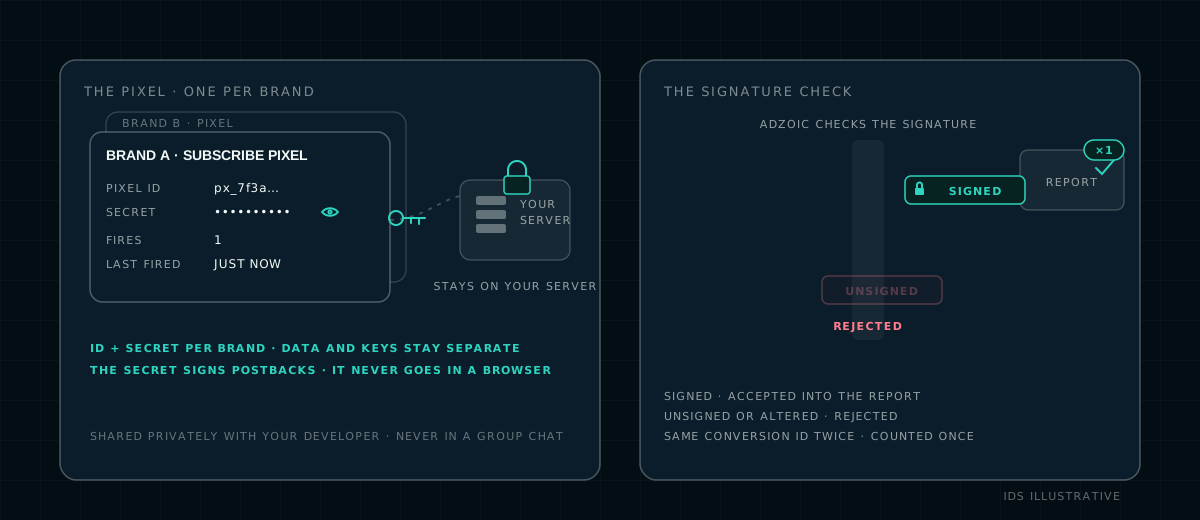
One pixel per brand, and the gate every postback passes through.
For your developer: the integration in four steps
- Add the macro to your landing URL. Put
{click_id}in the address you give us, for examplehttps://example.com/offer?src=adzoic&click_id={click_id}. Other macros such as{campaign_id}work the same way, and your own parameters can stay in the URL. - Store the click_id. Read it from the URL and keep it with the visitor's session until the conversion.
- On conversion, send one request. From your server, POST the
click_id, the conversion type, an optional value and currency, and your own conversion or transaction ID. - Sign it. Compute an HMAC-SHA256 signature of the exact request body with your pixel's secret, and send it in a header. We reject requests with a missing or wrong signature.
payload   = {"click_id": "<from your session>", "type": "subscribe",
             "value": 30, "currency": "BDT", "conversion_id": "<your order id>"}
signature = HMAC_SHA256(secret = <pixel secret>, message = <exact request body>)
POST <your AdZoic postback URL>
     header  X-Signature: <signature hex>
     body    payload
Pseudo-code; the value is an example. We send you the exact endpoint, a sample request and a test link at onboarding.
Built for the way Asia converts
Many conversions in our markets happen on a phone: carrier billing, mobile wallets and in-app sign-ups, often minutes after the click. Bangladesh, where we are based, is the clearest case, and the same pattern runs across the region. Our tracking is designed around it.
Not cookie-side
Postbacks work no matter which browser or in-app webview the person used, or which wallet or carrier billed them.
Attribution you control
Count conversions inside the attribution window that fits your funnel, set per campaign, from minutes to days.
One pixel per brand
Each brand keeps its own key and its own conversion history, which matters for agencies running several clients.
Bangla first
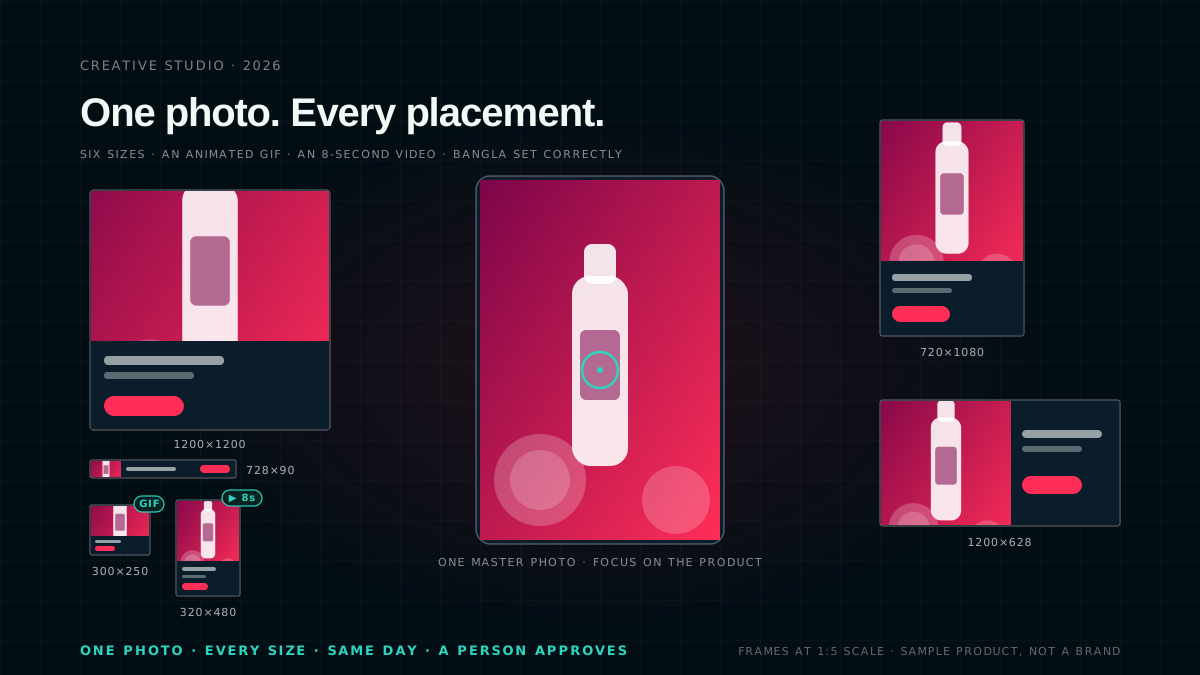
Creatives in your audience's own script, rendered correctly at every banner size. How Creative Studio sets Bangla.
Buying for outcomes
A conversion campaign does not have to change how you pay for media on day one. Campaigns can be bought on CPM, CPC or CPA, and a common path runs in three stages:
- start on CPM to gather data while every conversion is tracked;
- then use the conversion data to choose the creatives, placements and audiences that convert, and shift budget to them;
- and, where it suits your model, move to cost-per-action buying.
Bid strategies include Fixed, Auto-Optimize, which adjusts bids per impression using machine-learning predictions, Max-Reach and Target-CPA. Because the conversion comes from your server and is signed, the numbers you optimise on are numbers you already trust.
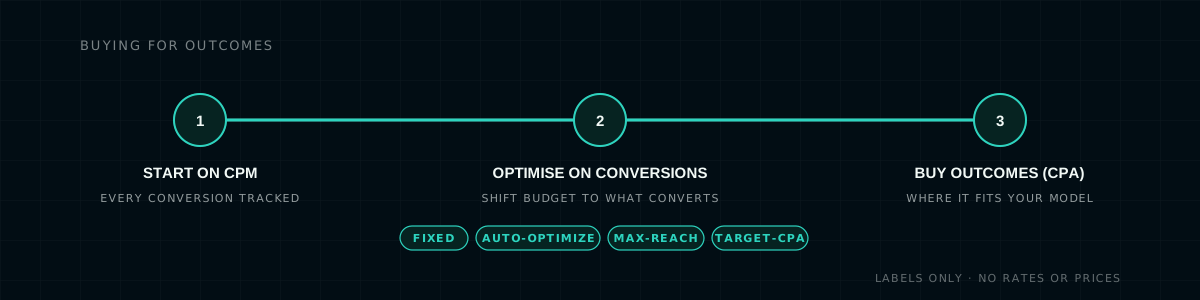
Three stages, in the order most advertisers take them. Labels only: no rates or prices.
Clean data protects your budget
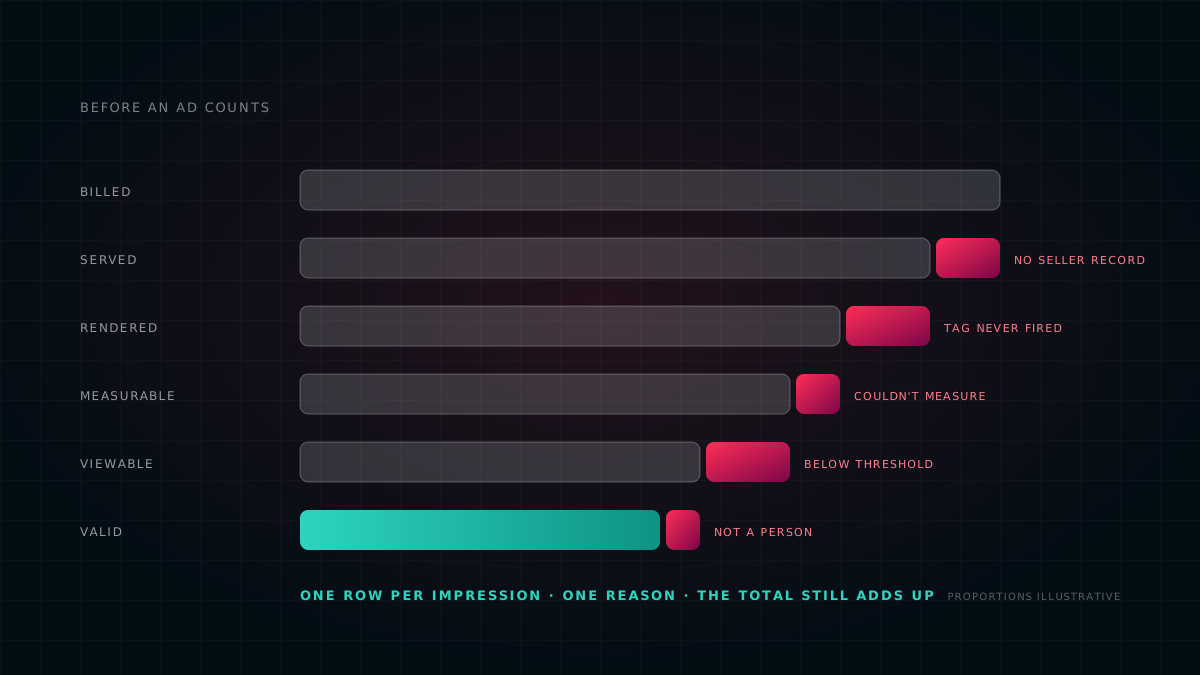
Performance budgets attract fraud. AdZoic checks traffic before and after the click: suspicious patterns are filtered at bid time, every click link is tamper-proof, and every conversion must carry a valid signature and a click we actually served. Click spam and fake postbacks are discarded instead of polluting your report, and duplicate postbacks for the same conversion ID are counted once.
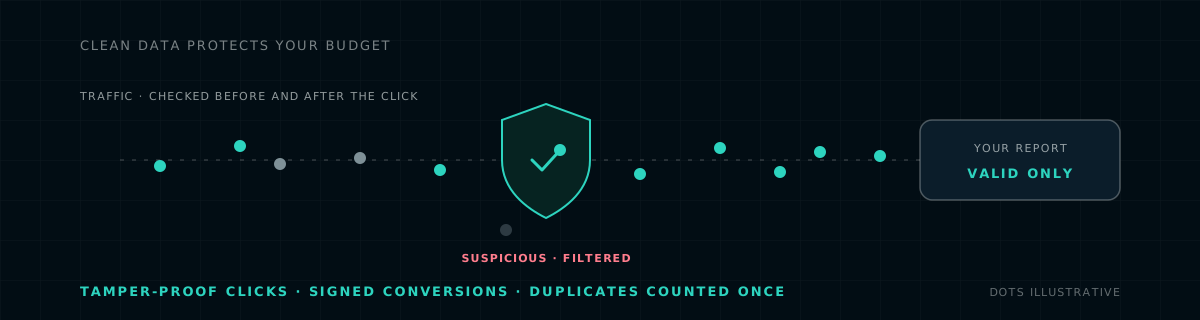
What reaches your report, and what does not.
Going live together
This is how a conversion campaign goes live, with your team and ours. Three things are needed on your side: a landing page or app that can read the click_id and keep it, a developer for about an hour, and a goal: subscriptions, registrations, installs or purchases, with the value of each if it varies.
- We create the pixel. Its ID and secret go privately to your developer, never to a group chat.
- You add the macro.
{click_id}goes into your landing URL, and your page stores it with the visitor's session. - Your developer implements the signed postback. With our documentation, a sample request and a test link.
- We test it together. AdZoic generates a real test click, a tester converts, and we confirm the postback was accepted and the conversion shows in the report.
- The campaign goes live. We review the first week together.
Questions we get asked
Does the click_id identify a person?
No. The click_id is a random reference to one click. It carries no phone number, name, email or payment detail, and nothing about the person is sent to AdZoic. Your server sends it back with the conversion type, an optional value and currency, and your own conversion ID.
Does conversion tracking work inside apps and webviews?
Yes. The conversion is reported by your server, not by the browser, so it does not depend on cookies, the browser, an in-app webview or an ad blocker. If your backend can confirm the conversion, it can send the postback.
What happens if the same conversion is sent twice?
Duplicate postbacks for the same conversion ID are counted once. Postbacks with a missing or wrong signature are rejected, and a conversion is only matched to a click AdZoic actually served, inside the attribution window set for the campaign.
Do I have to buy on CPA from day one?
No. Many campaigns start on CPM while every conversion is tracked, use the conversion data to decide what to scale, and move to outcome-based buying where it fits. Campaigns can be bought on CPM, CPC or CPA, with Fixed, Auto-Optimize, Max-Reach and Target-CPA bid strategies.
Talk to us
If you sell subscriptions, apps or online and want to buy media against real outcomes, tell us about your funnel. We will set up the pixel, test the connection with you end to end, and show you the first conversions next to the clicks that produced them.
The counters in the artwork tick from 0 to 1 and are illustrative; no conversion rate, cost or benchmark is shown or implied, and no performance claim is made. The value in the pseudo-code is an example. No advertiser, agency, exchange or network is named; campaigns run on open exchanges and on direct publisher sites. The click_id is a random reference and never a personal identifier; do not send names, phone numbers, emails or payment data to AdZoic. Product behaviour described here is how AdZoic works in October 2026 and may change. This describes our own platform and is not advice for yours.