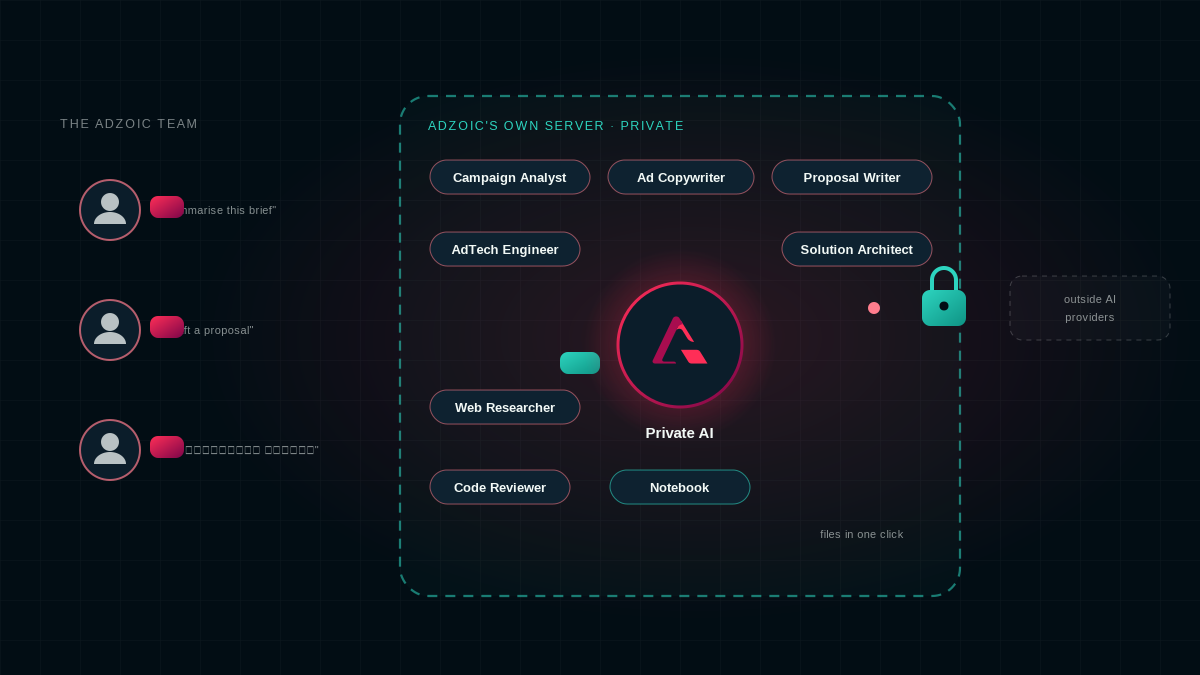
adZoic Chat is our private AI workspace, and other teams can now sign up for it. It helps a team write, summarise, analyse data and code, with AI models that run on adZoic's own servers.
Earlier this month we wrote about the private AI our own team uses. At that point it was for us alone. This post is the follow-up: the workspace is now a product that your team can use, at chat.adzoic.com.
What it is
In the product's own words, adZoic Chat is “a private AI workspace for teams”. You type a question or a request, and the assistant, labelled adZoic Assistant, answers. The product page lists four kinds of work:
- Write. Get a first draft to edit, instead of starting from a blank page.
- Summarise. Turn something long into its main points.
- Analyse data. Ask what a set of figures shows and what deserves a closer look.
- Code. Get help writing and reading code.
None of that is unusual for an AI assistant. What sets this one apart is not the list of jobs. It is where the work happens, and who else is in the room.
What has changed since our first post
When we first wrote about it, on 6 November 2026, the workspace was invite-only and for the adZoic team. Three things are different now:
- Teams can sign up. You create an account yourself, with your email or with Google.
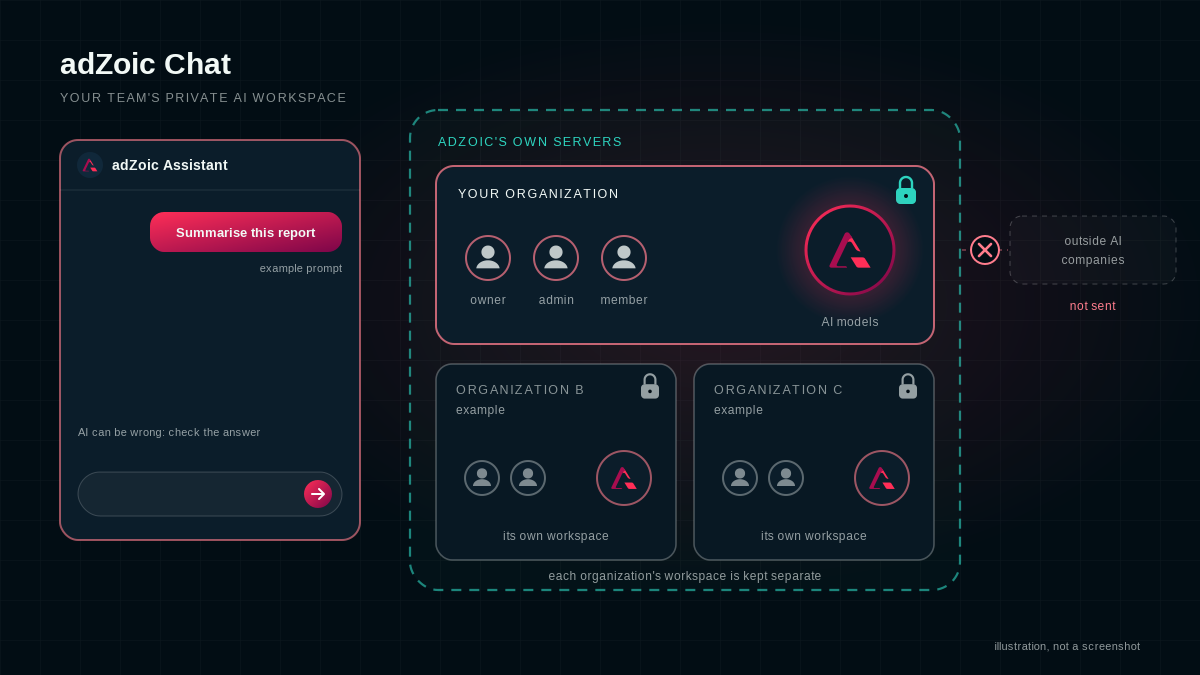
- Each organization gets its own workspace. It is kept separate from every other organization's.
- There are apps. In the first post, desktop and mobile apps were on the “planned” list. The product page now offers them.
The earlier post explains how we run the AI and how our own team uses it, so we won't repeat it here. One caution: it describes our internal set-up as it was on that date. The features listed there are not a description of what adZoic Chat offers every organization. For that, go by the product's own page.
Where your words go
For a team that handles plans, briefs and client documents, this is the question that matters most. The product page answers it in two sentences, quoted here as they stood on 23 November 2026:
“Your conversations and documents stay on adZoic's servers. They are not sent to outside AI companies, and each organization's workspace is kept separate from every other organization's.”
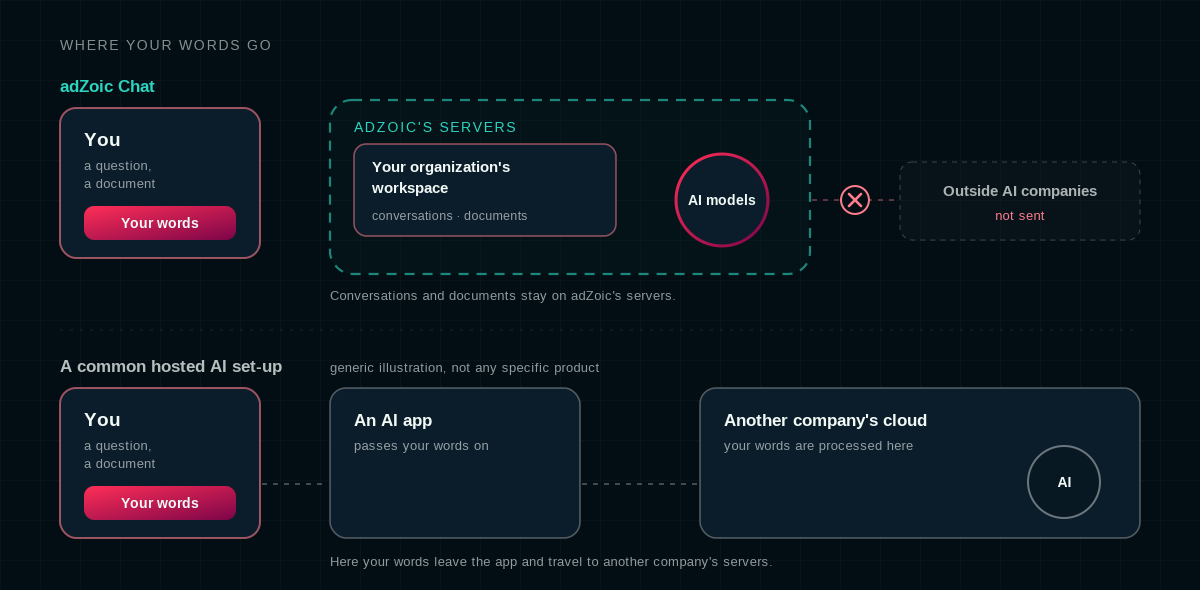
Many AI tools work another way: the app you type into passes your words on to an AI service run by a different company, and they are processed on that company's servers. The lower half of the drawing shows that common set-up in general terms. It is not a picture of any particular product, and plenty of services are built differently.
A note on what this does and does not say. It is a statement about where your conversations and documents are kept and processed. It is not a certification, and no online service is free of risk. The page does not name the AI models, the hardware or where the servers are, so neither do we. If you need those details for a contract or an internal review, ask us before you rely on the product.
One organization, one workspace
adZoic Chat is built around the organization, not the single user. As the product page puts it, each organization gets its own isolated AI workspace, with members and admins.
- Create it. After you sign up, you create an organization for your team.
- Invite colleagues. Each colleague joins through a personal invitation link.
- Manage roles. Owners and admins manage members and their roles from the organization page.
Three steps to start
The product page describes three steps, and says the first takes “under a minute”. That is the site's own figure, as stated in November 2026, not a promise from this post.
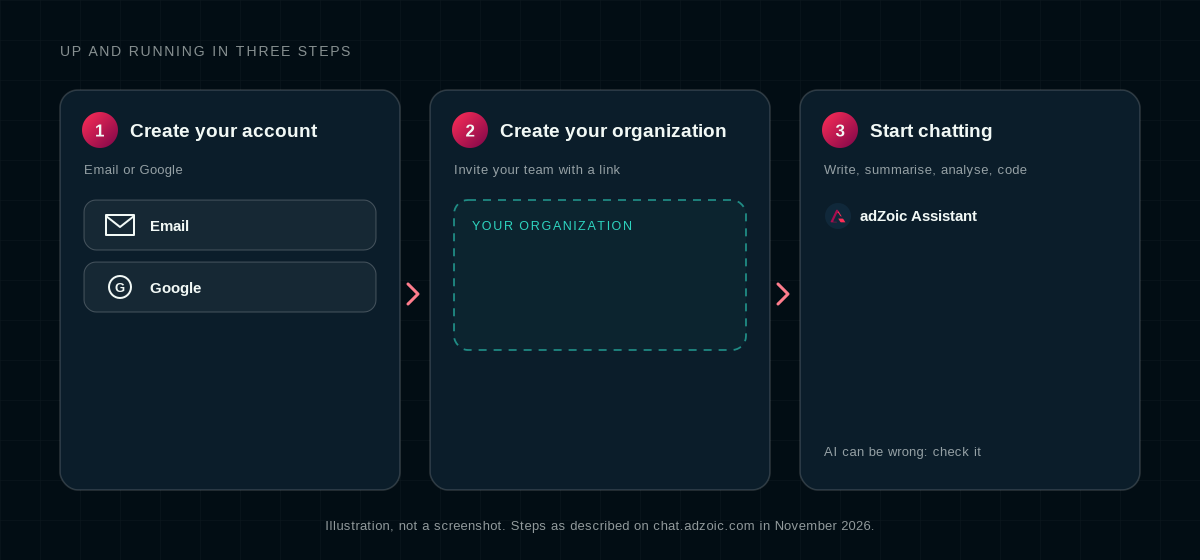
- Create your account. Use your email, or sign in with Google.
- Create your organization. Then invite your team with a link.
- Start chatting. Ask the assistant to write, summarise, analyse or code.
What it costs
The product page says you can start for free with a small team. Larger plans with more seats and more AI usage are available, and adZoic can also give your organization an access code.
The page does not publish prices, seat numbers or usage limits, so this post does not state any. Plans and availability can change. Check the product page for the current terms before you plan around them.
Where you can use it
adZoic Chat works in any modern browser, on desktop, tablet and phone. It can also be installed as an app on Mac, Windows, iPhone, iPad and Android, from the product's “Get the app” page.
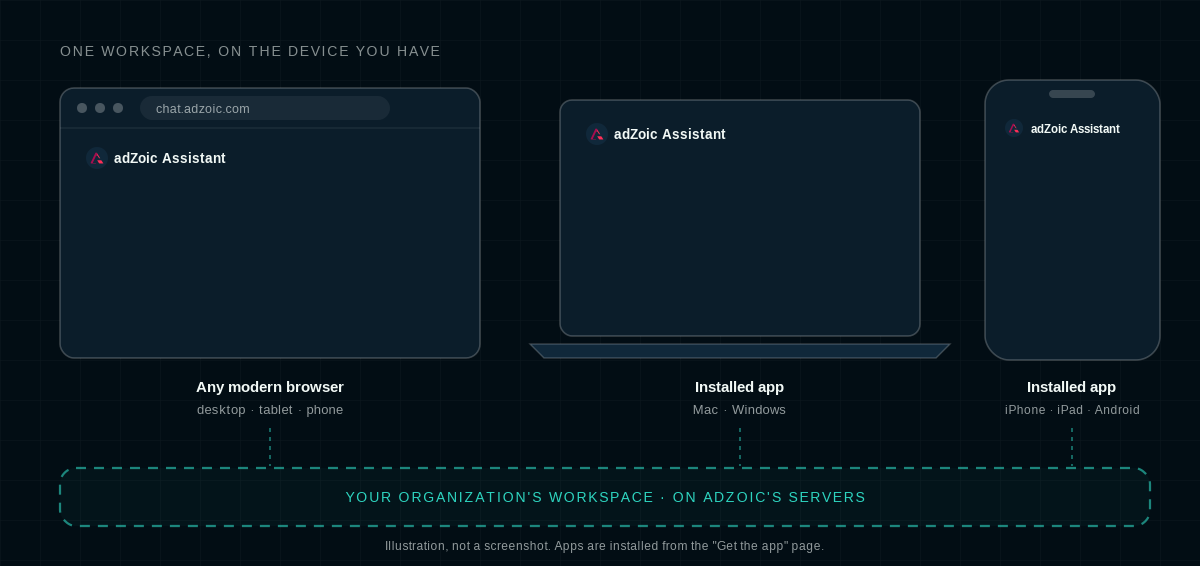
Whichever you choose, you sign in to the same organization's workspace.
Use it with care
adZoic Chat is a tool for people who know their work, not a replacement for them. Like any AI, the assistant can be wrong. It can misread a document, get a figure wrong, or state something false with confidence. So:
- Check before you use. Read what it writes, and check facts, figures and code before they go anywhere that matters.
- Keep a person responsible. An answer from the assistant is a draft. The decision, and the result, belong to the person who uses it.
- Follow your own rules. If your organization has a policy on what may be put into AI tools, it applies here too.
Try it
You can read the product's own description and create an account at chat.adzoic.com. If you have questions first, talk to us.
Questions we get asked
What is adZoic Chat?
adZoic Chat is a private AI workspace for teams. As its site states in November 2026, it helps you write, summarise, analyse data and code, with AI models that run on adZoic's own servers.
Where are my conversations and documents kept?
The product page states that your conversations and documents stay on adZoic's servers, that they are not sent to outside AI companies, and that each organization's workspace is kept separate from every other organization's.
How much does it cost?
The product page says you can start for free with a small team, that larger plans with more seats and more AI usage are available, and that adZoic can also give your organization an access code. It does not publish prices or limits, so check the page for the current terms.
How do I bring my team?
Create an organization, then invite colleagues with a personal invitation link. Owners and admins manage members and roles from the organization page.
Which devices does it work on?
It works in any modern browser on desktop, tablet and phone, and can be installed as an app on Mac, Windows, iPhone, iPad and Android from the Get the app page.
Can I rely on its answers?
Not without checking. Like any AI, adZoic Assistant can make mistakes. A person should review what it produces before it is used.
The illustrations in this post are drawings, not screenshots; the organizations and prompts shown in them are examples. Statements about adZoic Chat are taken from its public page, chat.adzoic.com, as it stood on 23 November 2026. Features, plans and availability can change, and the product page is the current source. A description of where data is kept is not a certification or a guarantee. AI can make mistakes; review its output before you use it. Google and Android are trademarks of Google LLC; Mac, iPhone and iPad are trademarks of Apple Inc.; Windows is a trademark of Microsoft Corporation. They are named only to describe sign-in and devices; AdZoic is not affiliated with or endorsed by any of them.