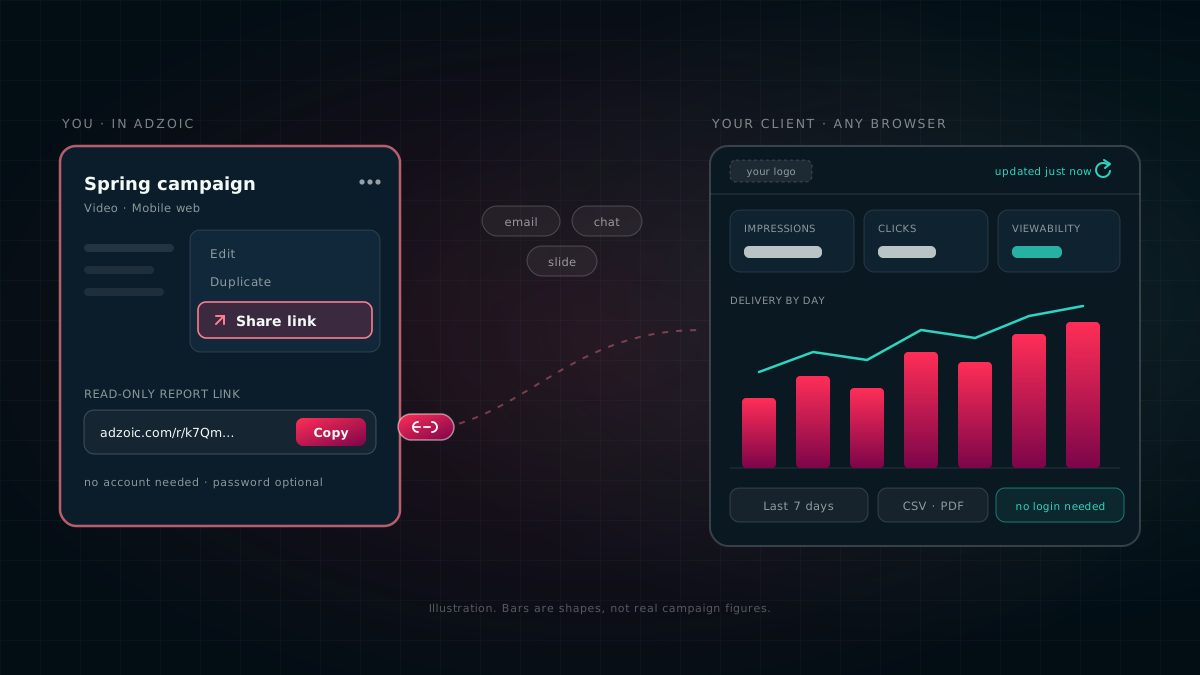
Any campaign in AdZoic can now be shared as a live report link. Your client clicks it and sees how their campaign is doing, right now, with no login, no spreadsheet and no waiting for Monday.
Here is a familiar week. The brand manager wants to know how the campaign is going. Someone exports a spreadsheet, tidies it up, pastes a chart into an email and sends it. By the time it is opened, the numbers are a day old. Next week, the same thing again.
Agencies told us what they actually wanted: one link they could forward to the brand, and know it always shows the right numbers. So we built exactly that.
What your client sees
The link opens a clean report page with your logo at the top, not ours. On it:
- The headline numbers. How many times the ad was shown, how many people clicked, and how much of the ad was actually seen. Sales or sign-ups too, if you choose to include them.
- Day by day. A chart of how the campaign delivered each day, plus a separate line showing how visible the ads were.
- Where the ads ran. The top websites and apps, ranked, with the results for each one.
- Which ad is working. Each creative (each version of the ad) and how it is doing.
- Countries and devices, when you include them.
- A table of daily figures for anyone who wants the exact numbers.
Your client can choose their own dates within the campaign, or press Last 7 days or Whole flight (the campaign from start to finish). They can download the figures as a file that opens straight in Excel, or print the page or save it as a PDF to drop into a presentation.
Impressions: how many times the ad was shown. Clicks: how many times someone tapped or clicked it. CTR (click-through rate): clicks as a share of impressions, so 1% means one click for every hundred showings. Viewability: how often the ad was actually on screen long enough to be seen, not just loaded somewhere off the bottom of the page. Conversions: the thing you really wanted, like a sale or a sign-up. CSV: a simple file of numbers that any spreadsheet can open. More in our guide to the metrics that matter.
Always current, never a stale export
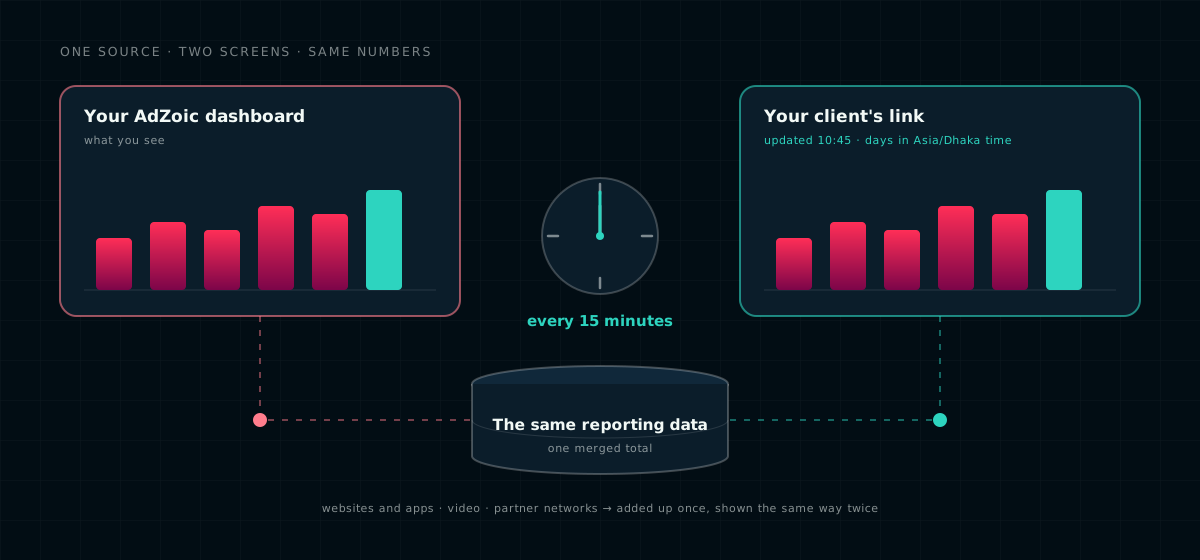
A spreadsheet is a photo: it shows the campaign at the moment it was taken. A report link is a window. It reads the same numbers as your own AdZoic dashboard and refreshes every 15 minutes, so what your client sees is what you see.
The page always says when it was last updated, and which time zone its days are counted in. That sounds small until a client in another country asks why "yesterday" looks different. Now the answer is on the page.
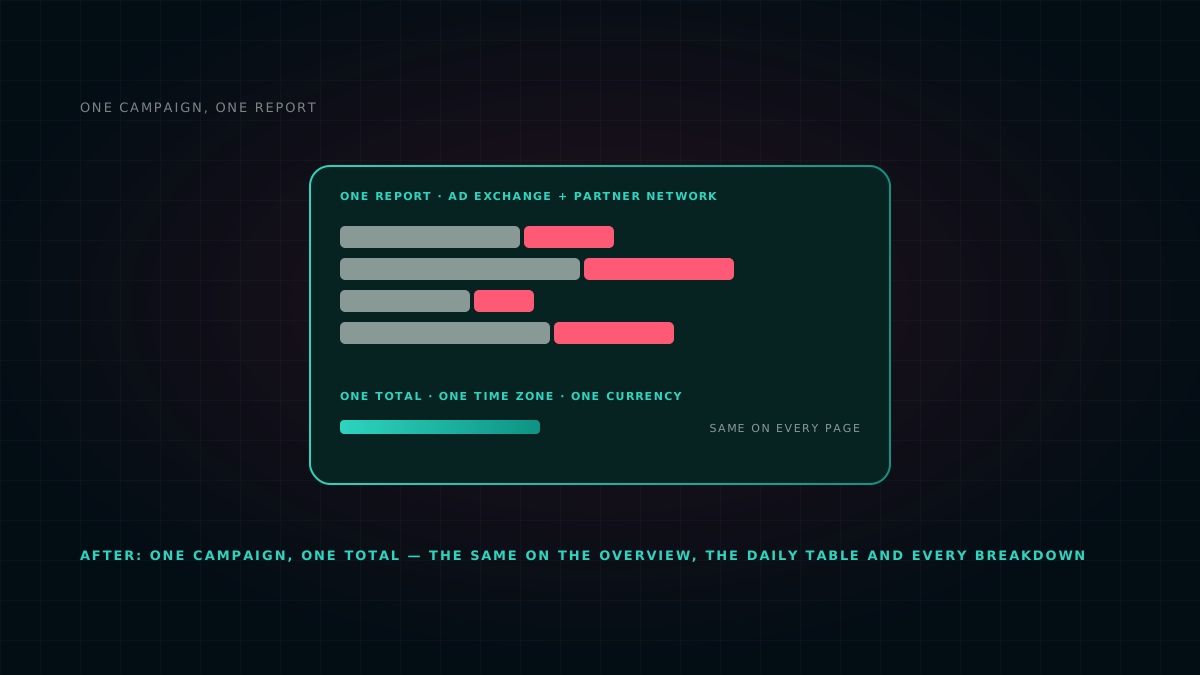
And if a campaign runs in more than one place, for example on websites and apps and on a partner network, the link shows one total, added up once. It is the same figure you see in AdZoic. We explain how that works in one campaign, one report.
Three clicks to share
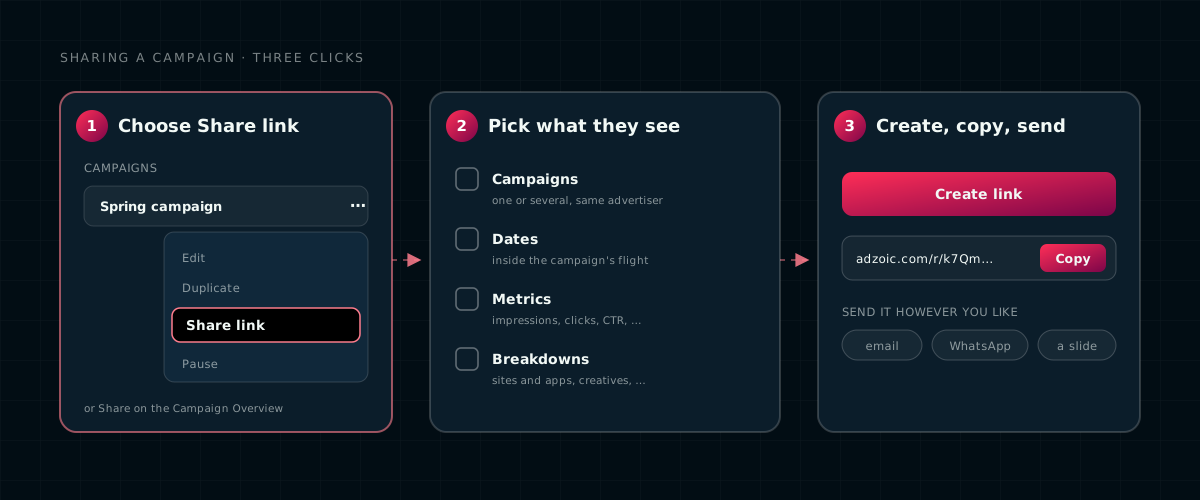
- Open Campaigns and choose Share link from the campaign's menu, or click Share on its Campaign Overview.
- Choose what the client should see: which campaigns, which dates, which numbers and which breakdowns.
- Click Create link, then Copy, and send it however you like: email, WhatsApp, or a slide in your deck.
Safe to forward
A link that anyone can open has to be careful about what it shows. Clients forward things, and that is fine, as long as the link was built for it. Every report link is.
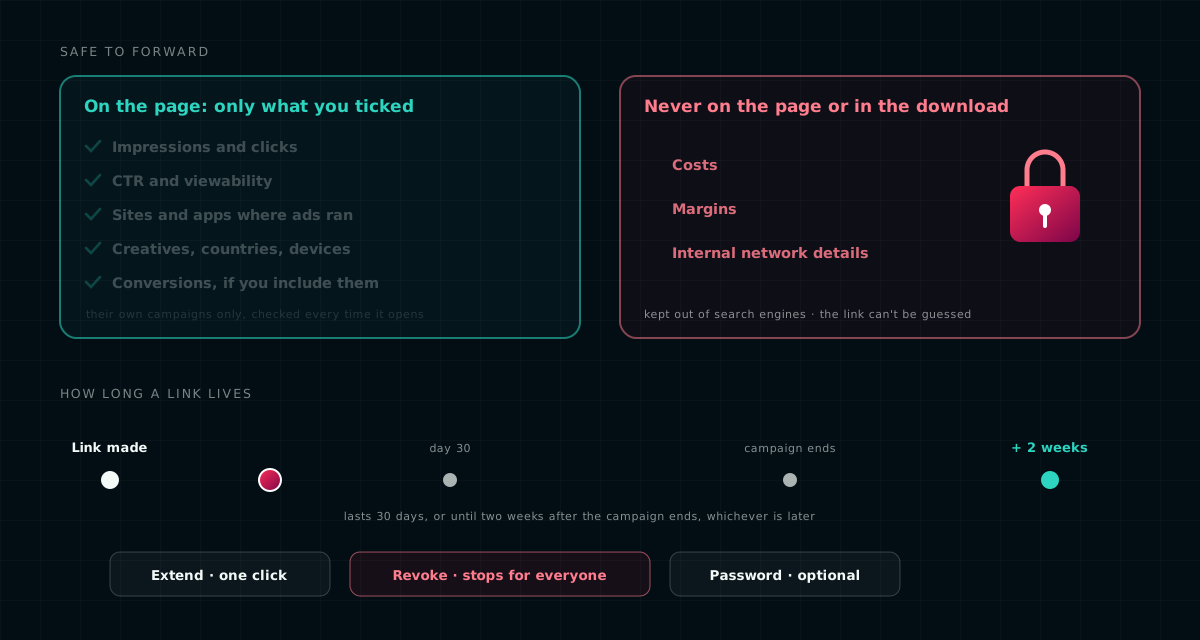
- Only what you choose. The client sees the numbers and breakdowns you ticked, and nothing else. Costs, margins and internal network details are never on the page, and never in the download.
- Only their campaigns. A link belongs to one advertiser, and the list of campaigns is checked again every time someone opens it.
- It expires on its own. A link lasts 30 days, or until two weeks after the campaign ends if that is later, so the end-of-campaign wrap-up is covered. One click extends it.
- You can switch it off. Revoke a link and it stops working straight away, for everyone who has it.
- A password, if you want one. For sensitive brands, add a password and the report stays closed until it is entered.
- Hidden from search engines, and the link itself is long and random, so nobody can guess it.
To see every link you have made, go to Campaigns → Shared Links. It shows who made each one, when it expires, and how many times it has been opened.
Questions we get asked
Does my client need an AdZoic account to open the link?
No. The link opens in any browser without an account or a password. You can add a password if you want the report to stay closed until it is entered.
How fresh are the numbers?
The report reads the same reporting data as your own AdZoic dashboard and refreshes every 15 minutes. The page shows when it was last updated and which time zone its days use.
Can my client see what the campaign cost?
No. Costs, margins and internal network details are never on the page or in the download. The client sees only the metrics and breakdowns you ticked.
How long does a link work?
By default, 30 days, or until two weeks after the campaign ends if that is later. You can extend it in one click, or revoke it, and it stops working at once for everyone who has it.
Can my client download the numbers?
Yes. They can download the figures as a CSV file that opens in Excel, or print the page or save it as a PDF for a presentation.
Available now
Shared report links are live for AdZoic teams and agency partners. To share your first campaign, open it in Campaigns and choose Share link, or talk to your account manager.
The illustrations in this post are drawings, not screenshots, and the bars in them are shapes, not real campaign figures. WhatsApp and Excel are named only as examples of where a link or file can go; AdZoic is not affiliated with them. Product behaviour described here is how AdZoic works in November 2026 and may change.